How to Add a Company Task (Admin Only)
Company Administrators can now create a re-useable task that can easily be added to Company Workflows or applied to any of your transactions individually. Tasks can be tracked in your Global Tasks section and are helpful so you can track what is completed or not across your transactions.
To add a company task as an administrator, click your name in the upper right corner, and click "My Company" in the menu:

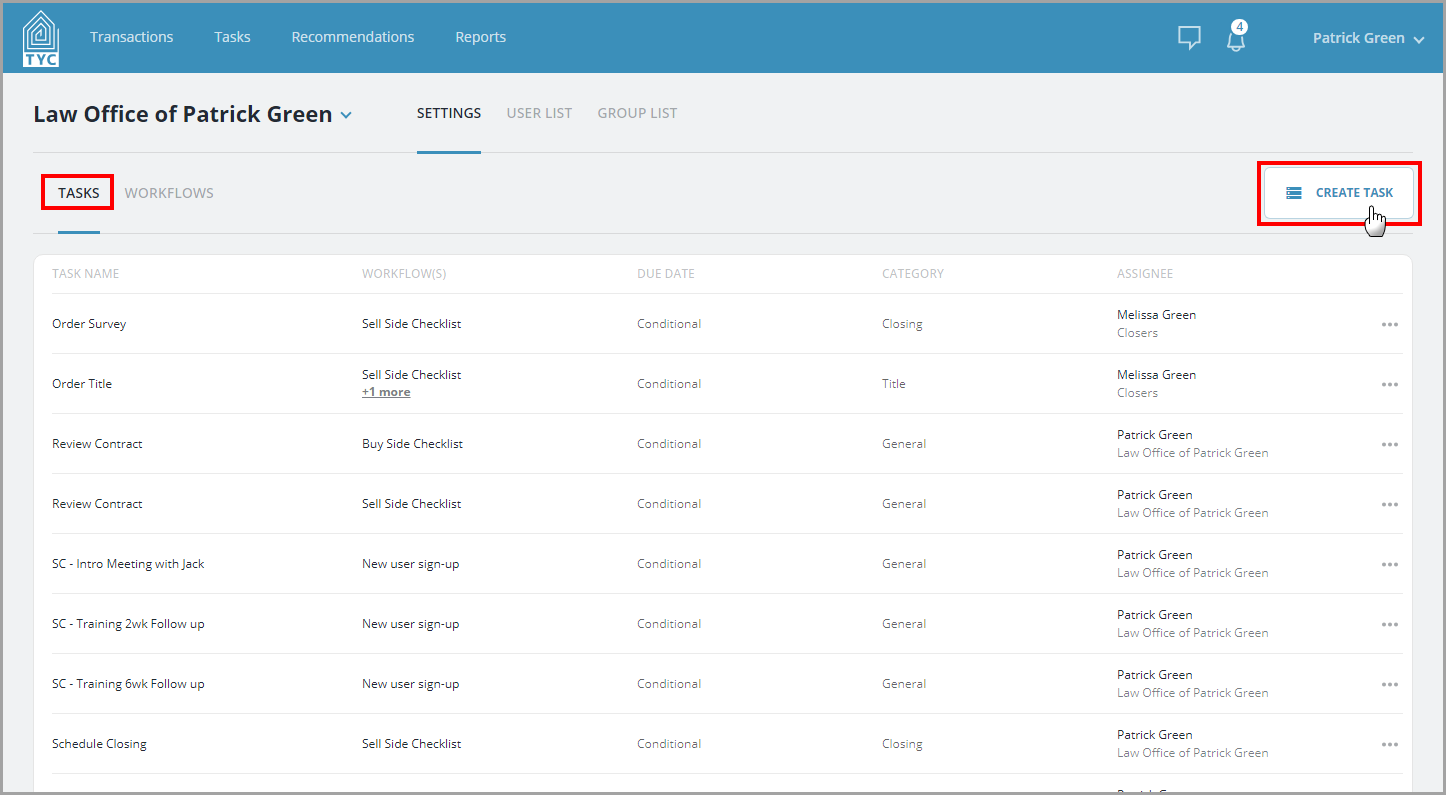
Next, under Settings > Tasks, click the "Create Task" button:
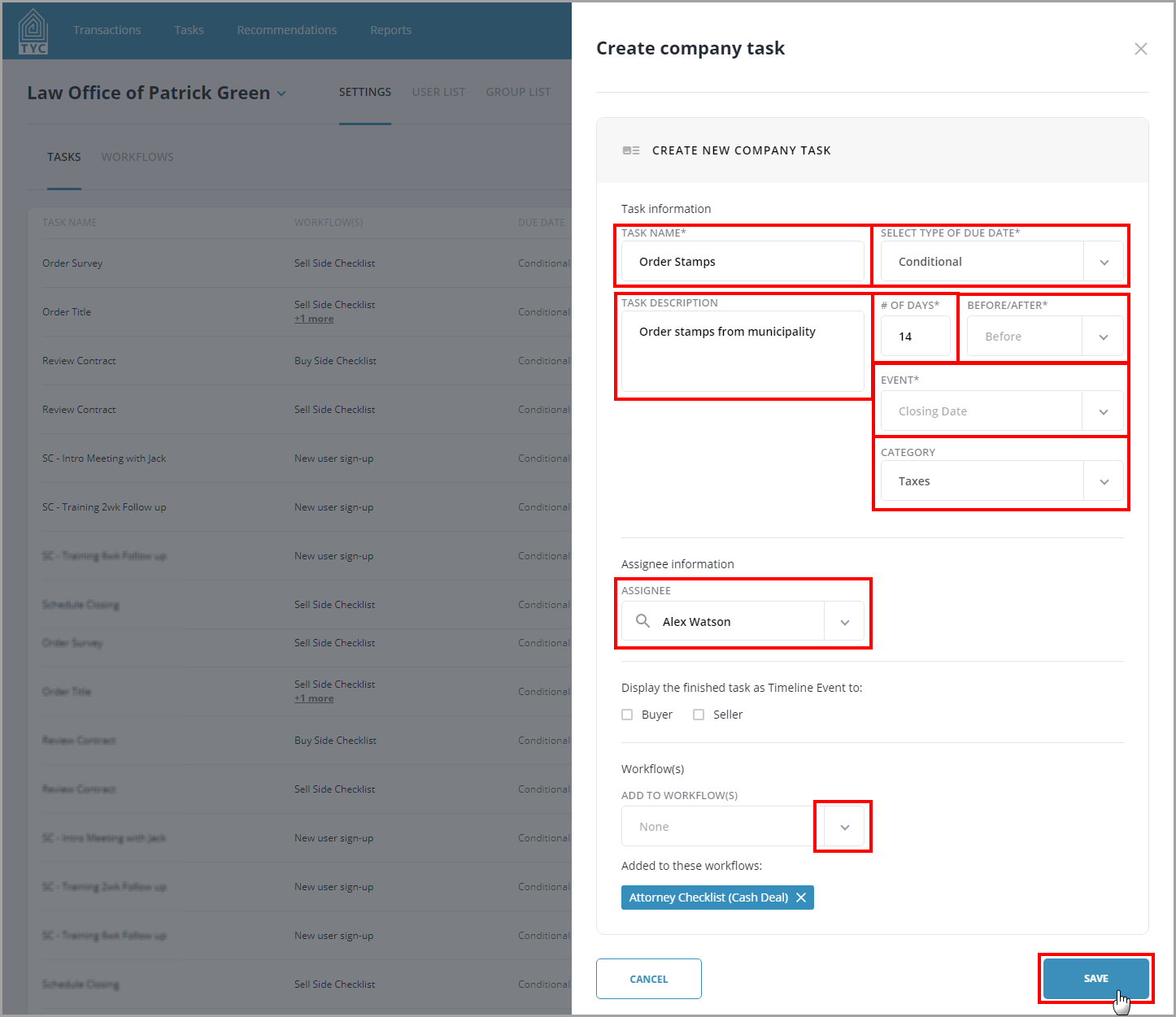
Fill out the appropriate fields. Required fields will be marked with an asterisk (*). At this time you can optionally choose a workflow in which to add the task to. Click "Save" when done:
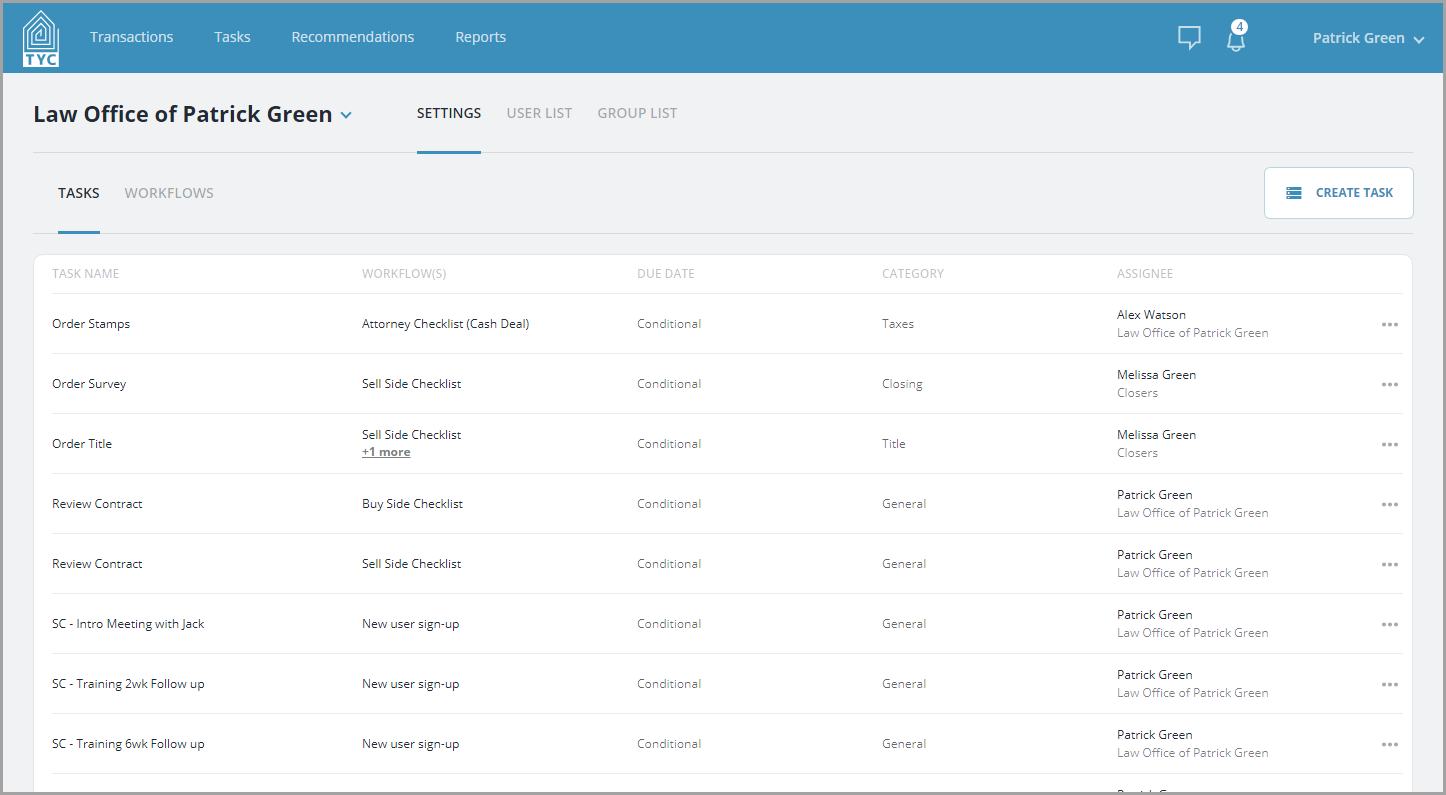
Next, your new task will appear in your Company Tasks list:
0 Comments