What is InsideTrack?
InsideTrack is a tool you can use to search for or invite real estate professionals to become part of your network. Once you have added professionals to your network, they will be shown on your public Trusted Network page.
Your custom trusted network URL can be found in your profile: How to View/Copy your Trusted Network link
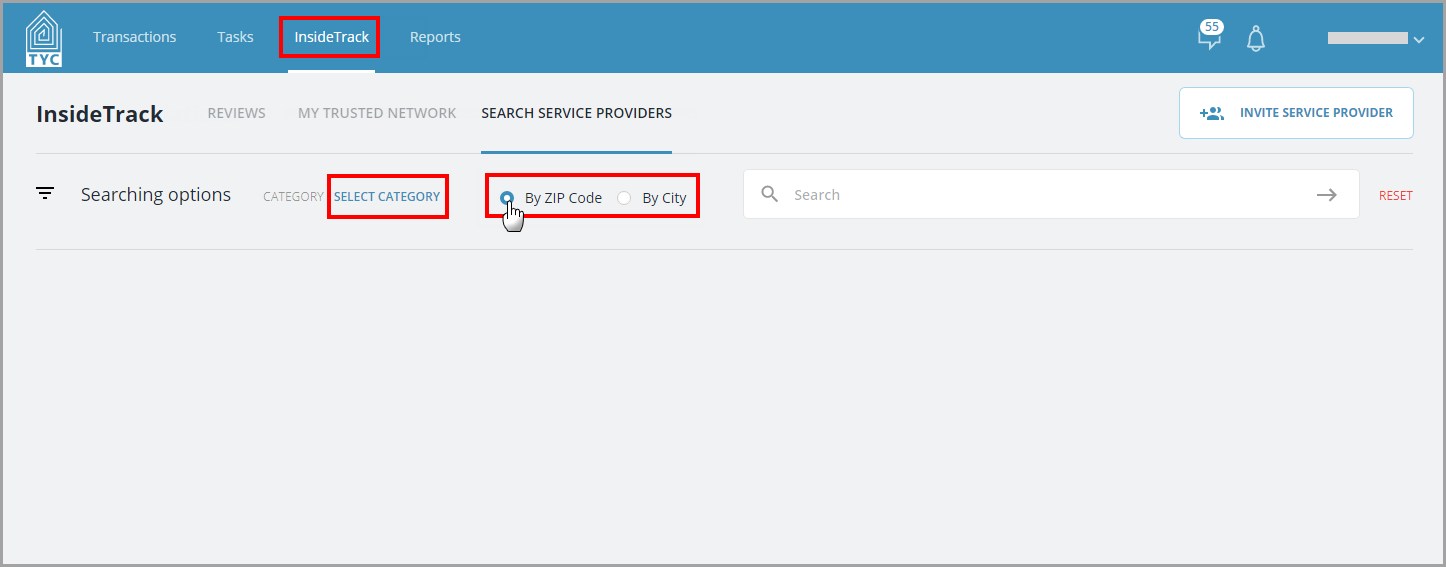
In the InsideTrack tab, you will search for a provider that you might want to add a review for or add to your trusted network. Select a category, and make a selection to search by zip code or city:
Now enter the zip code or city in the search box and click the arrow to submit your query:
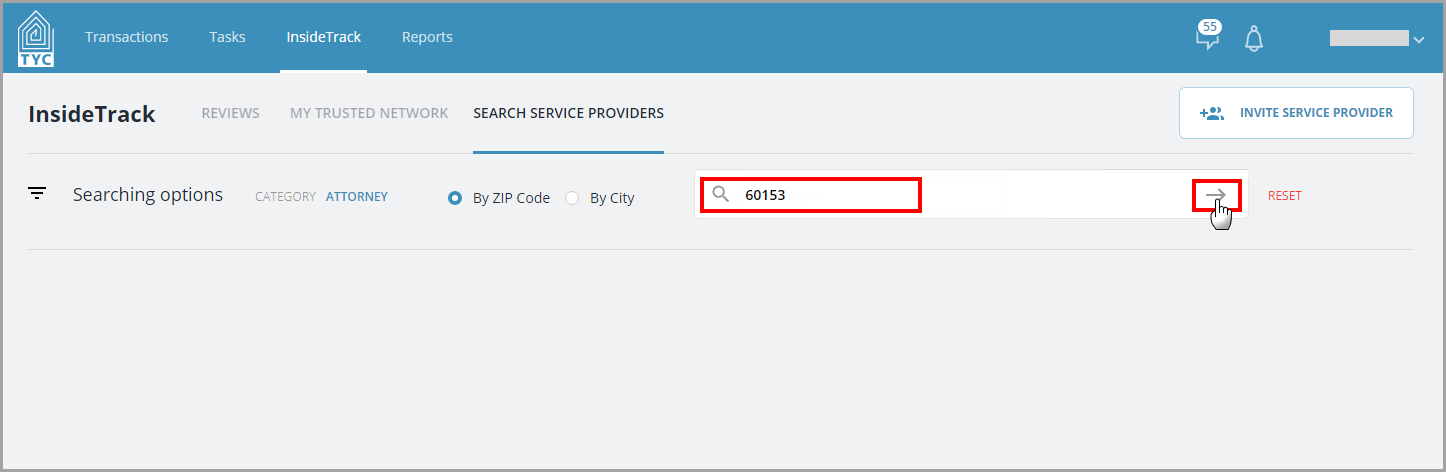
(If the company you are searching for does not have an account with TYC/show up in the results, you may Invite them as a New Service Provider.)
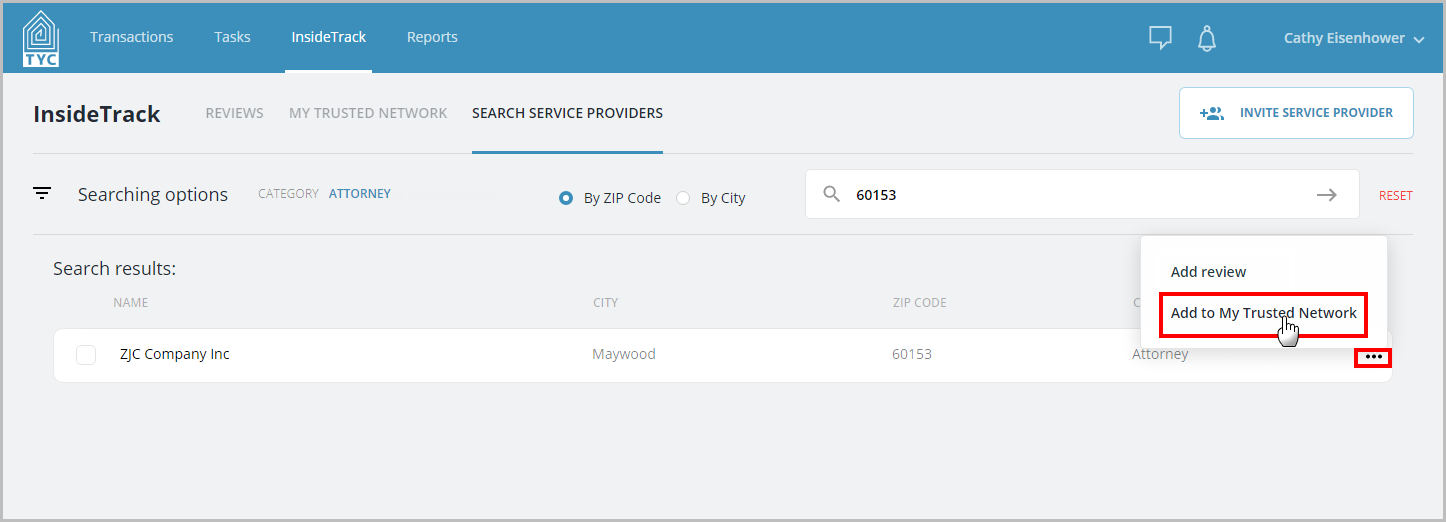
Your search results will contain any companies, users, or groups that have fit your criteria and are currently participating in InsideTrack.
In the search results, choose the three dot menu  next to the appropriate company and click "Add to My Trusted Network" or "Add review" in the menu:
Have questions? Feel free to contact TYC Support at support@trackyourclosing.com.
0 Comments