HOW TO FIND THE FILE/REF. NUMBER OF ANOTHER PARTICIPANT'S
In this tutorial, you will learn how to locate the File/Reference Number of another participant's.
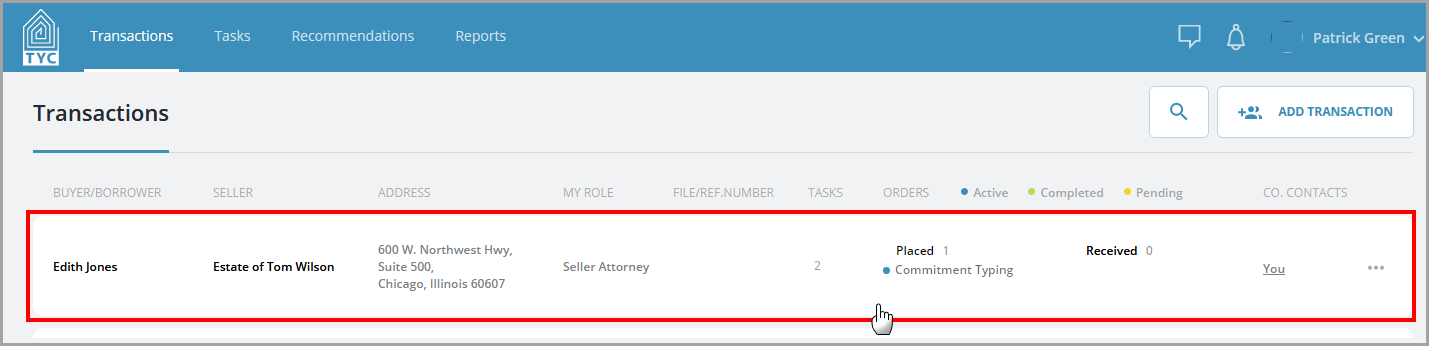
First, click on a transaction:
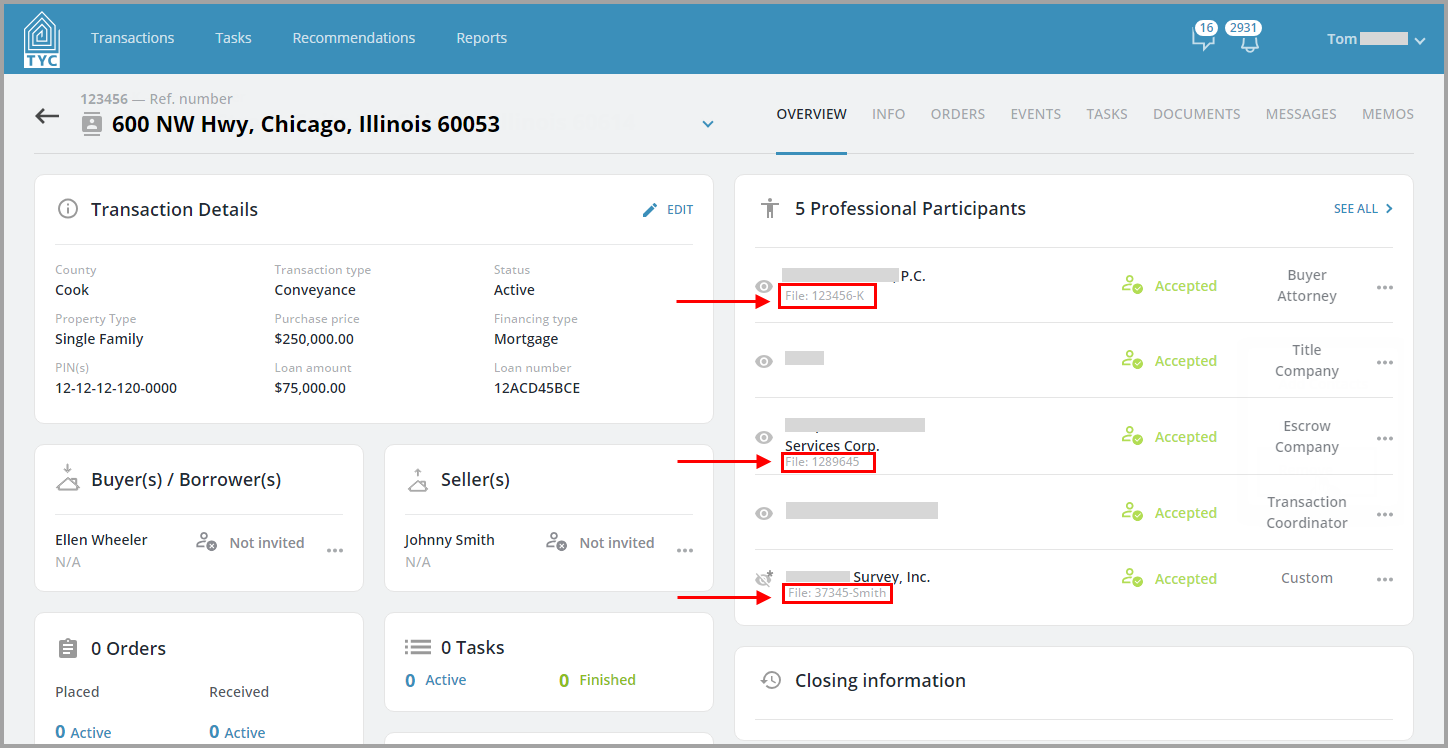
Next, you will be brought to the Overview for the given transaction. On the Professional Participants tile, you will be able to see any file numbers under the participant's company names, as shown:
To update your company's file number for a transaction, you may do so in the Info Tab > Additional Information section. Full instructions can be found here: How to Edit a Transaction (Info Tab).
0 Comments