EDITING A TRANSACTION
In this tutorial, you will learn how to edit the information within a transaction.
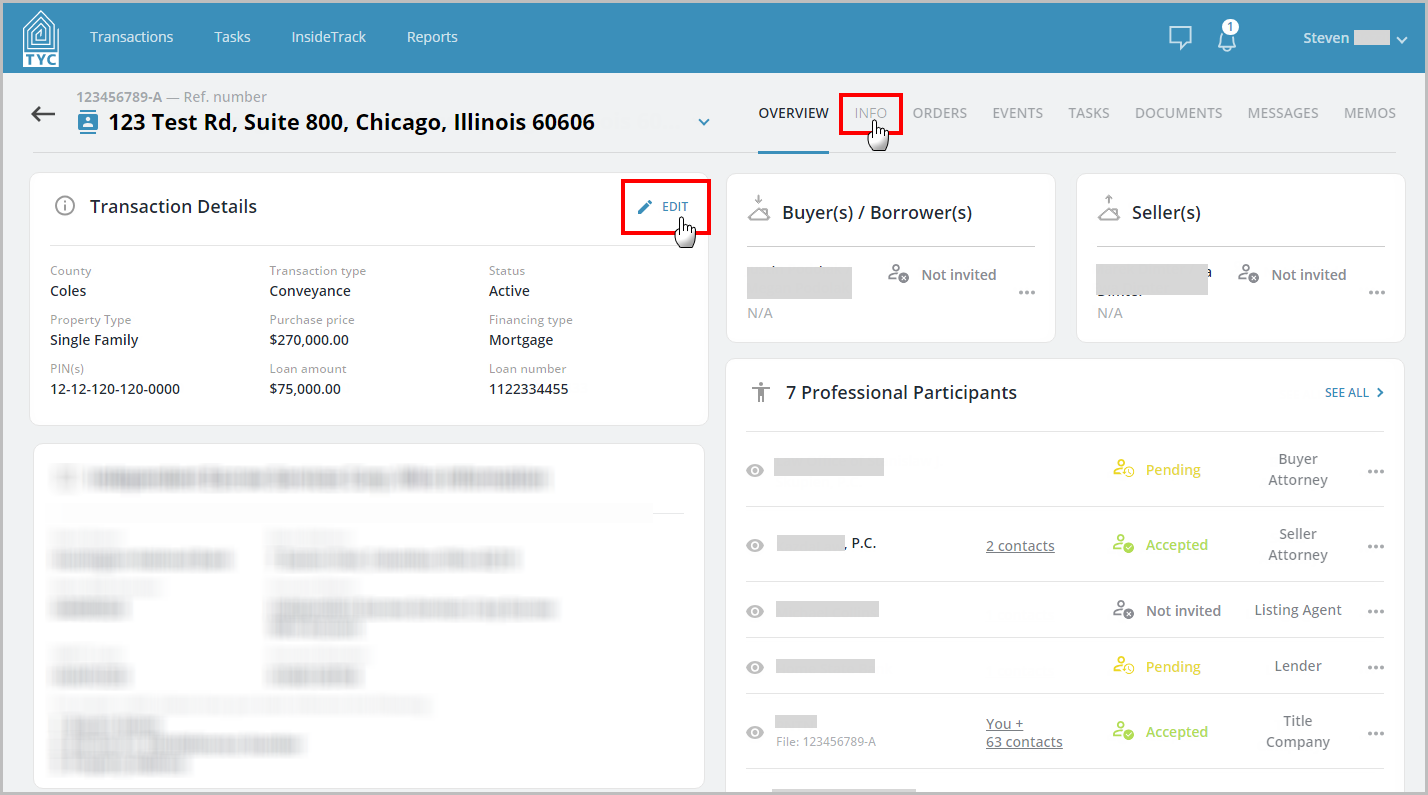
First, select the transaction you would like to edit. Within that transaction, select the "Edit" button, or you can choose the "Info" tab:
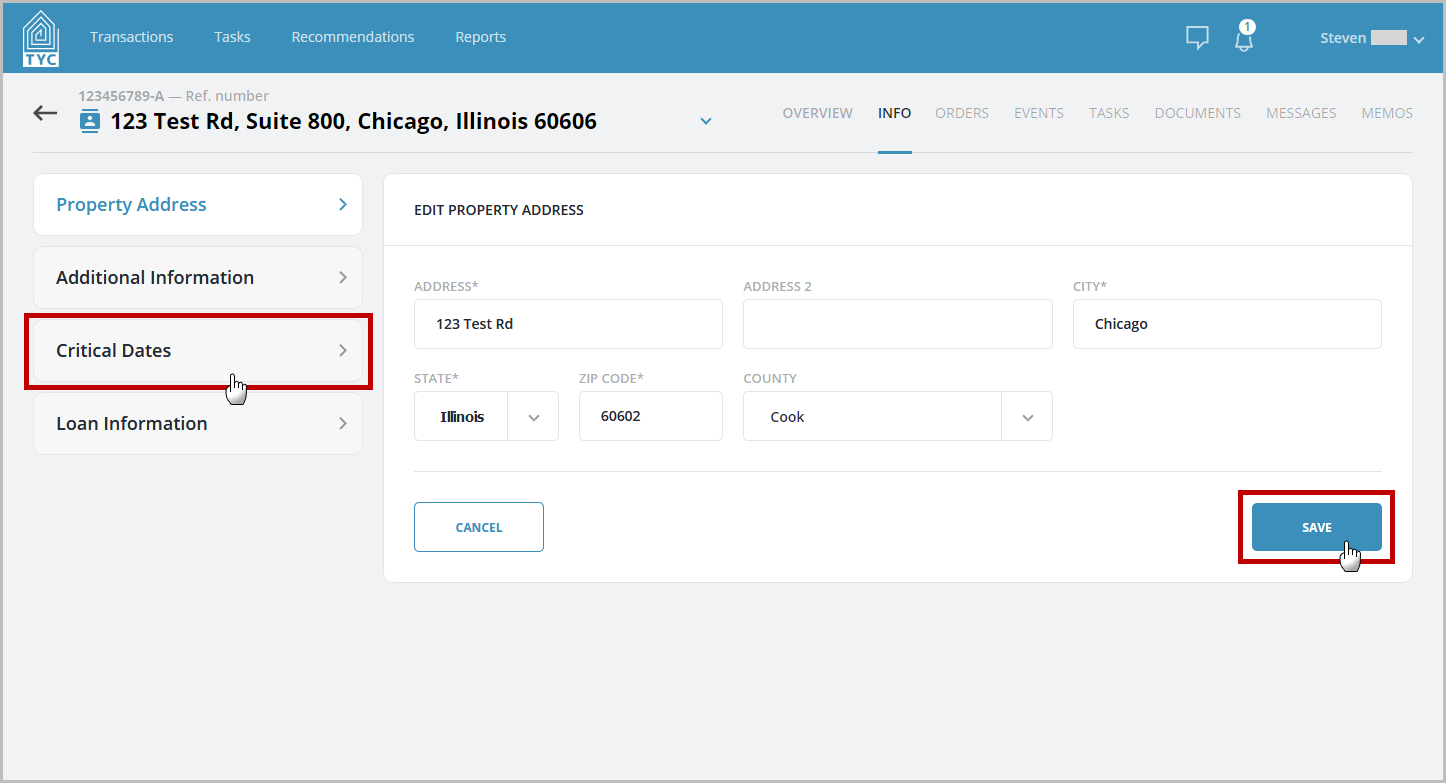
Toggle between the different sections of information on the left hand side by clicking the desired section. Change the fields the on the right and press the "Save" button to save those changes:
0 Comments