EDITING YOUR ACCOUNT
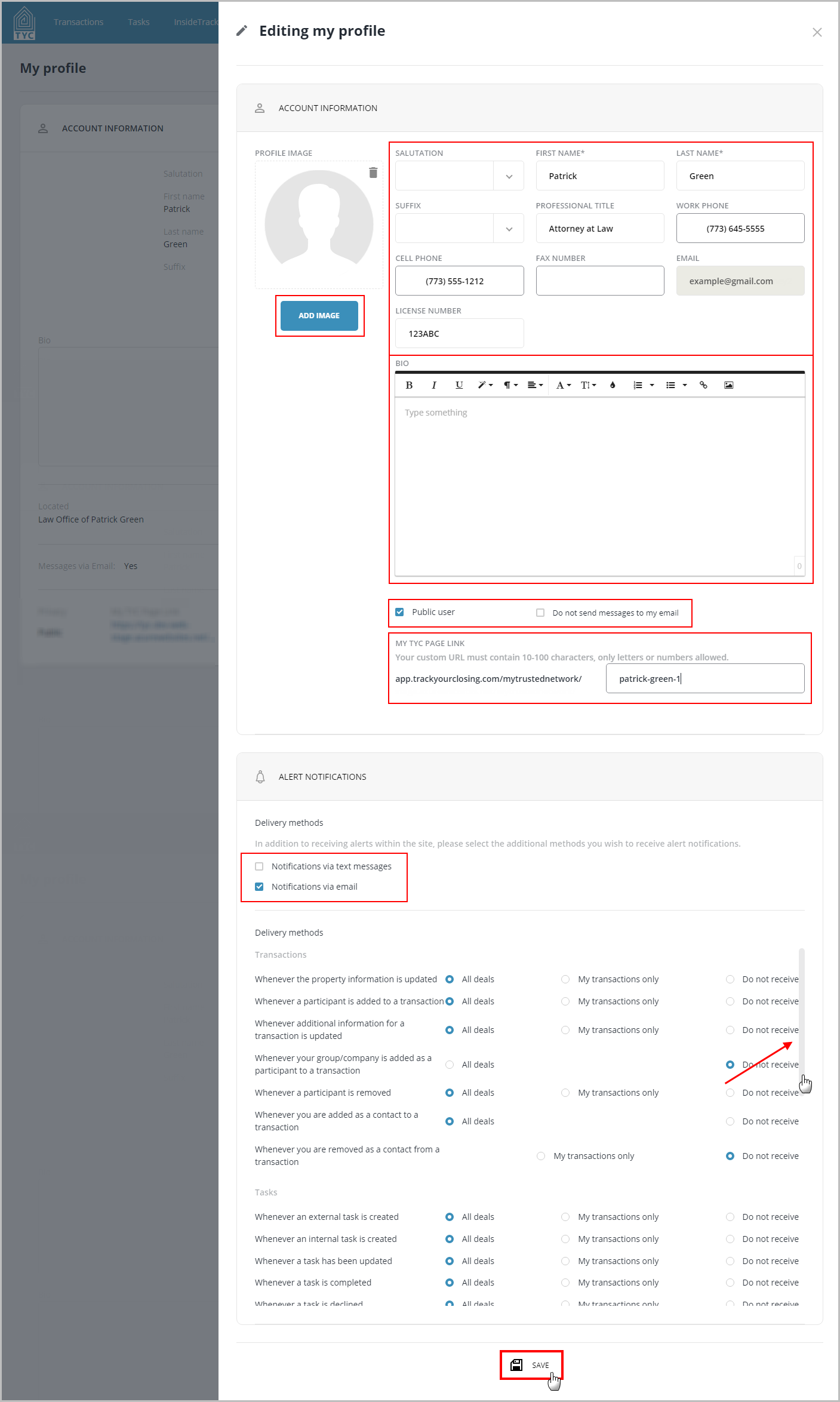
In this tutorial, you will learn how to edit your user account. Within your Account Information section, you can:
- change your user information (phone numbers, license number, etc)
- public/private visibility
- participation in InsideTrack
- edit your user bio
- specify if you'd like to receive TYC Messages via an encrypted email.
Also within this page you can modify your Alert Notification settings.
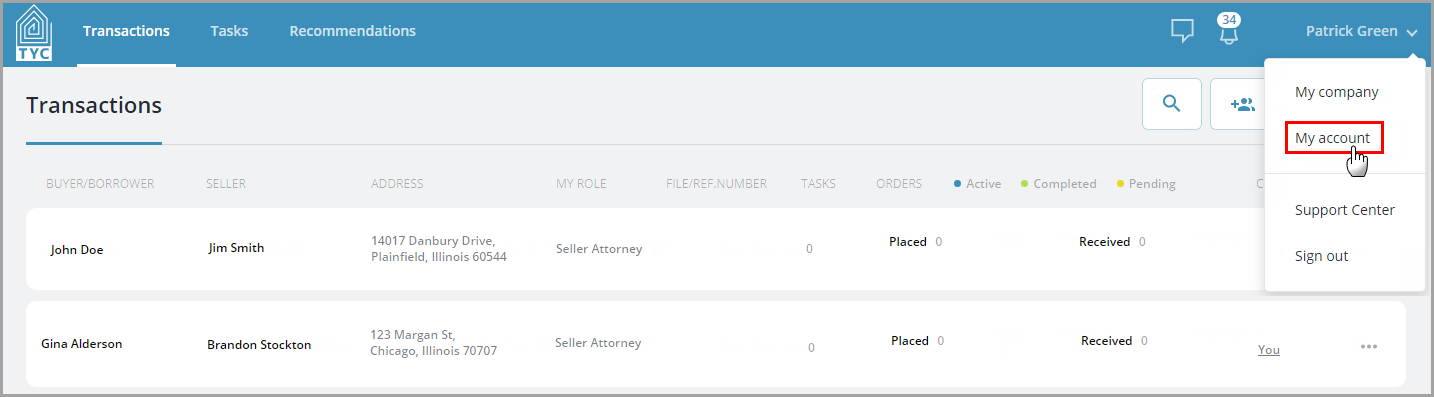
On the homepage, navigate to your name in the top right corner and click on it to bring down the drop-down menu. Then, select "My account":
You should be taken to a page with your account information. From there select the "Edit" button to edit your account:

After making the desired changes, click the "Save" button at the bottom to save your changes. If you'd like more information on customizing your alert settings, click here: How to Customize your Alerts.
0 Comments