ADD A WORKFLOW TO A TRANSACTION
In this tutorial you will learn how to add an existing workflow to a transaction. A workflow is a collection of tasks.
If your company doesn't have any Workflows created under Company settings, the company administrator needs to do so first (directions linked).
In the Transactions section, click on the transaction you would like to add a workflow within:

Next, click on the Tasks tab:

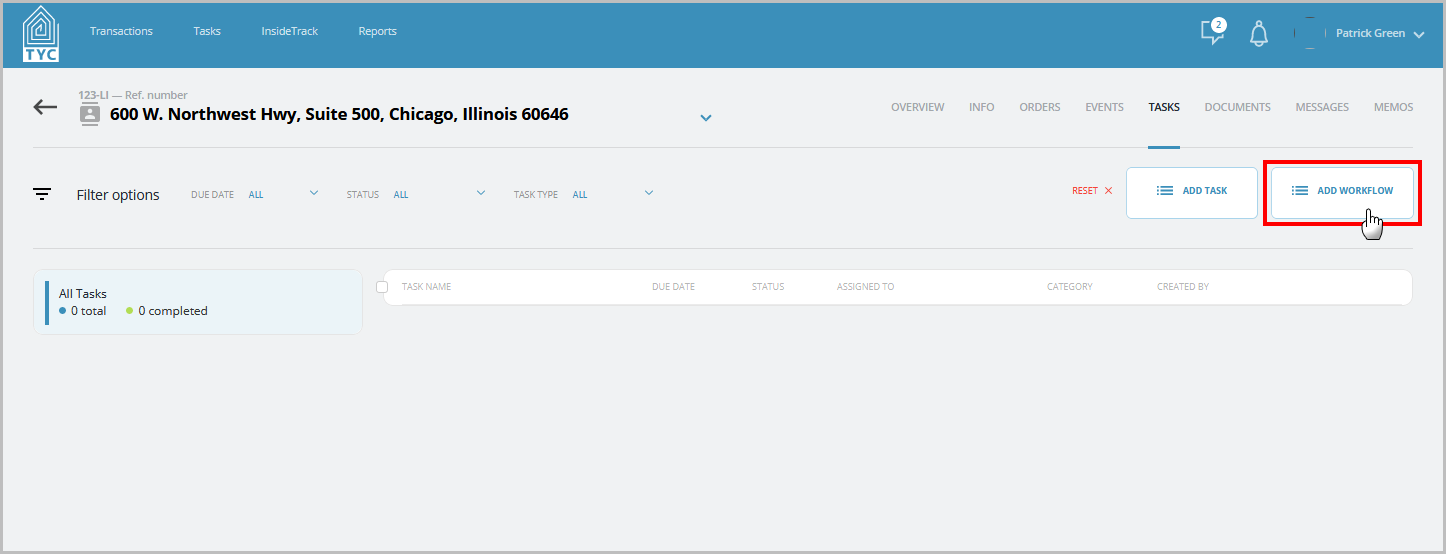
Now in the Task's tab, click on the “Add Workflow” button:
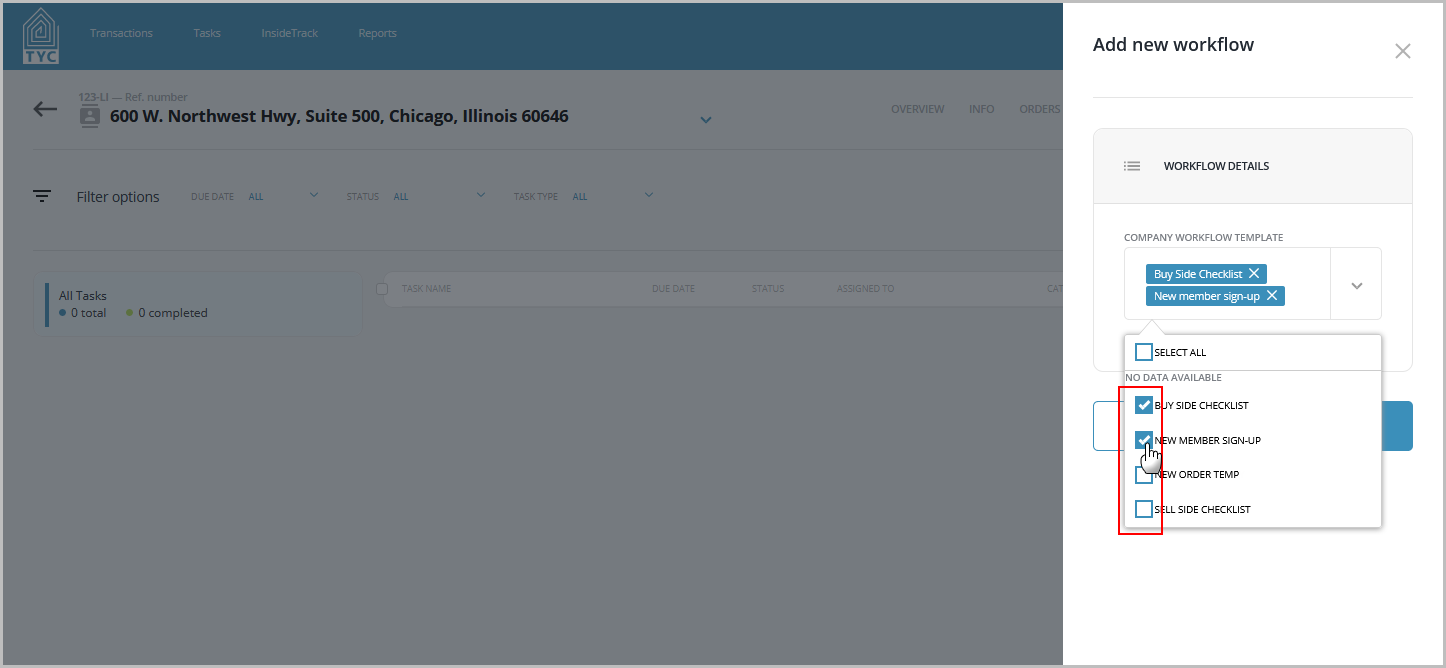
Select one or multiple workflows from the drop-down menu located on the Add New Workflow slider:
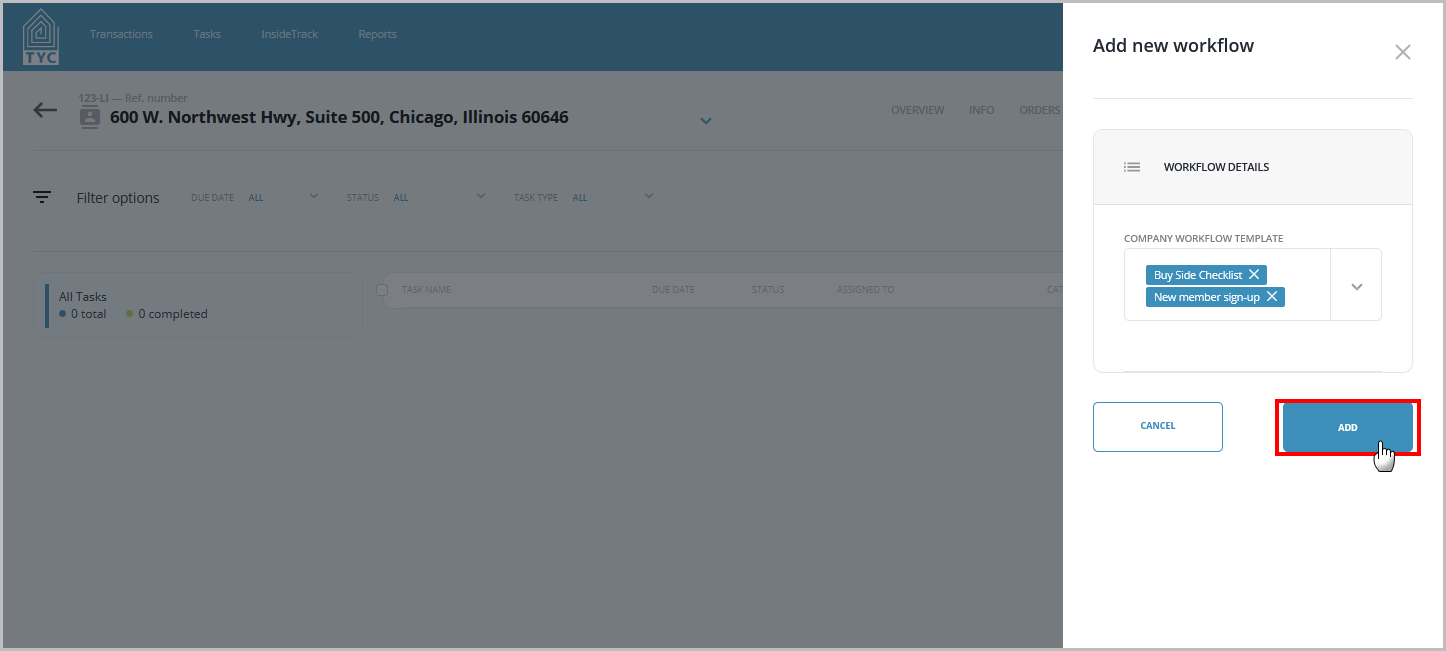
Once you have selected your workflow(s) you may click the “Add” button to add the workflows to your transaction:
Your workflow(s) and any tasks within will then be applied to the transaction.
Tasks that belong to a workflow will be indicated with the  icon.
icon.
0 Comments