HOW TO ADD A COMPANY, GROUP, OR USER TO YOUR TRUSTED NETWORK
In this tutorial, you will learn how to add a Company, Group, or User to your Trusted Network.
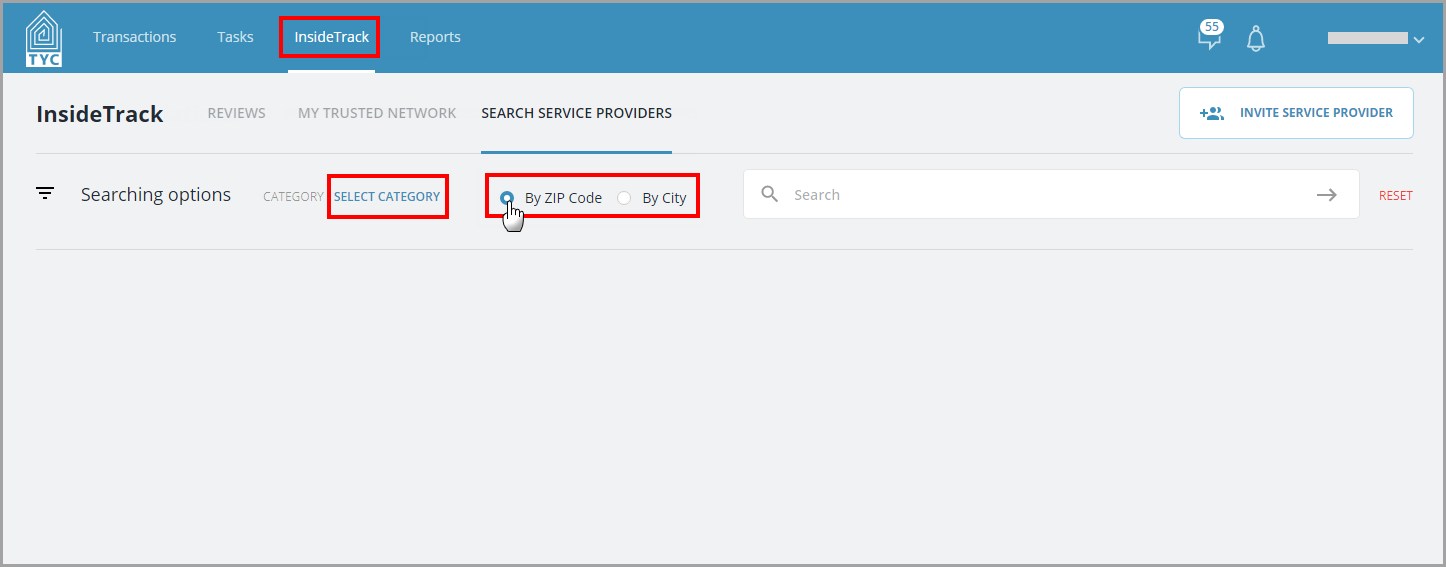
In the InsideTrack tab, you will search for a provider to add to your network. Then, choose a category, and make a selection to search by zip code or city:
Now enter the zip code or city in the search box and click the arrow to submit your query:
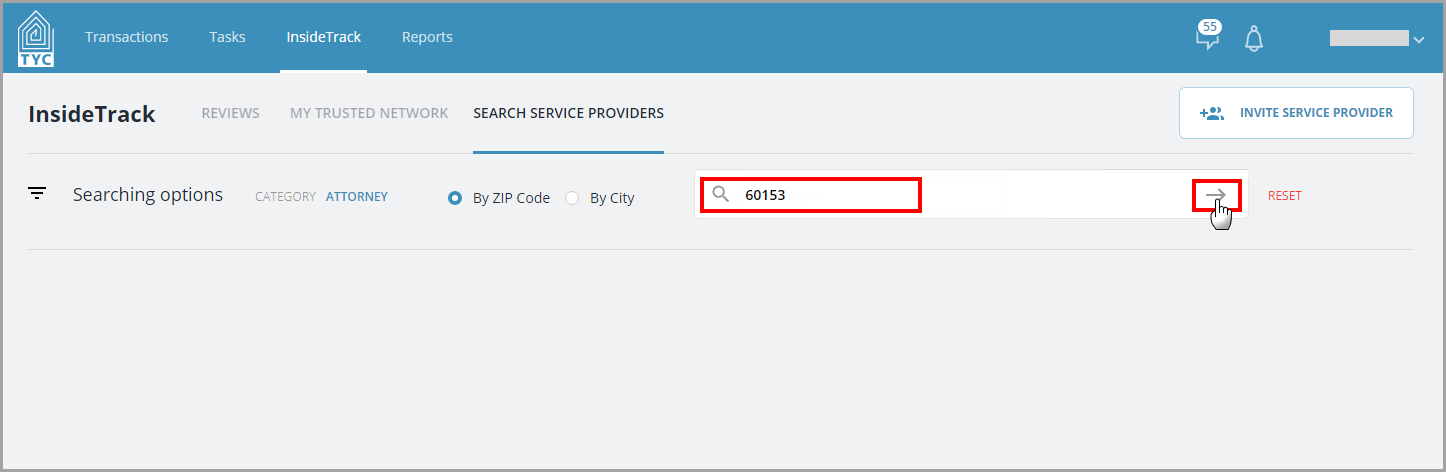
(If the company you are searching for does not have an account with TYC/show up in the results, you may Invite them as a New Service Provider.)
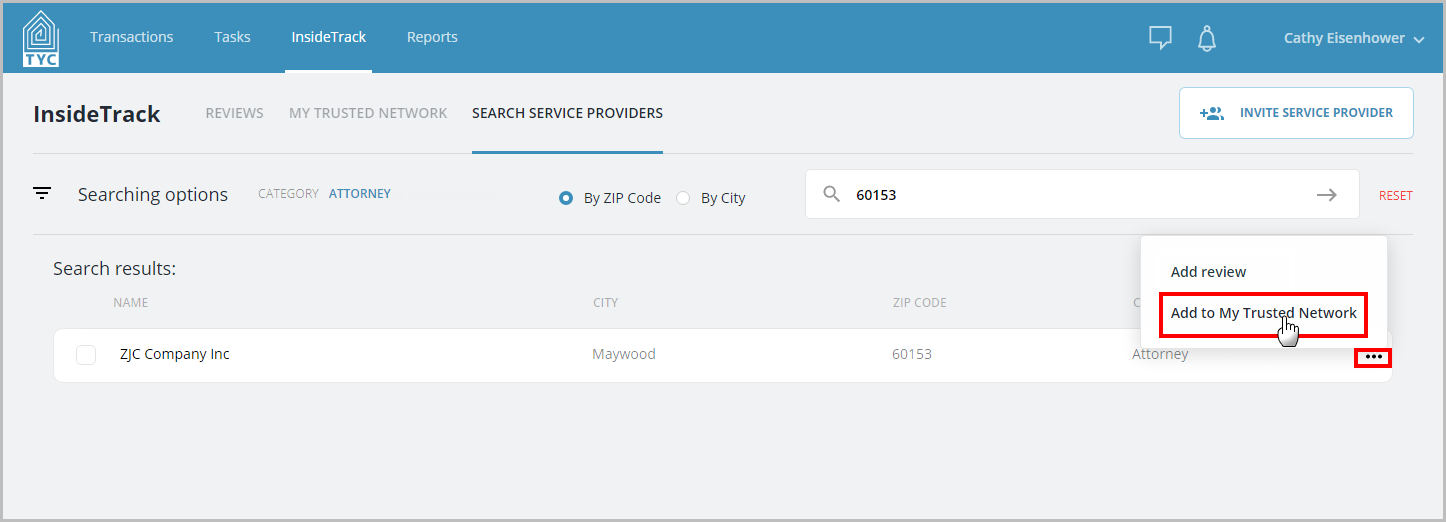
In the search results, choose the three dot menu  next to the appropriate company and click "Add to My Trusted Network" in the menu:
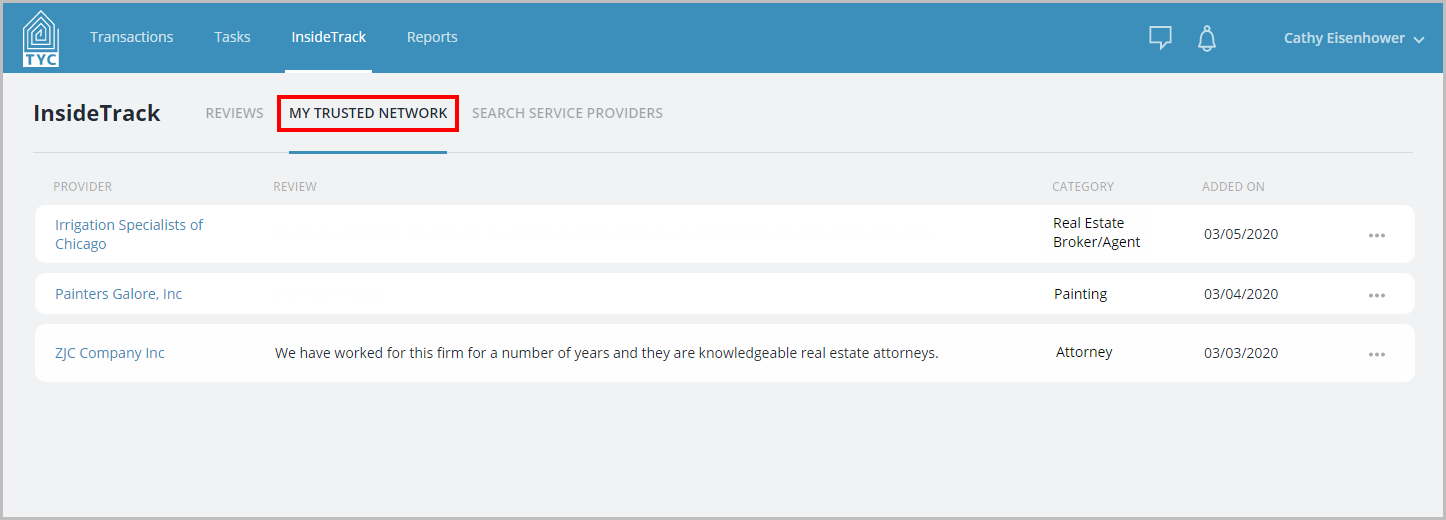
They are now added to your network and will appear under your Trusted Network tab, as well as on your public Trusted Network URL:
0 Comments