How to Customize Your Trusted Network Link
In this tutorial, you will learn how to customize your unique Trusted Network link.
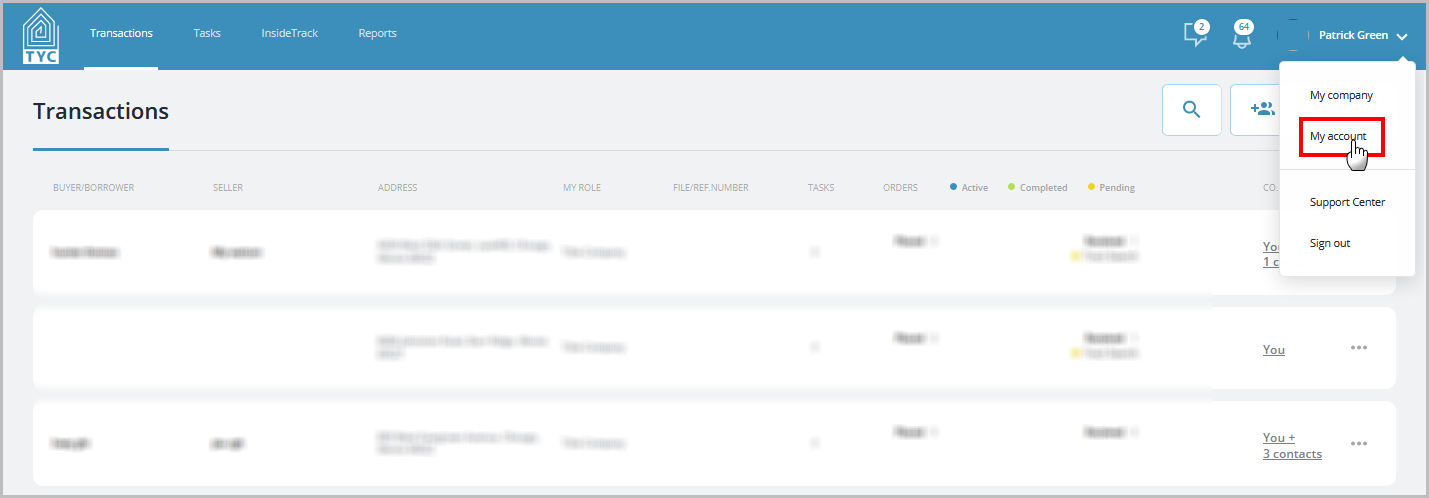
On the homepage, click your name in the upper corner and choose "My Account" from the menu:
Click "Edit":

Scroll to the middle of the page and you will find a field under My TYC Page link in which you can customize your link. Make any edits you wish and the click "Save":
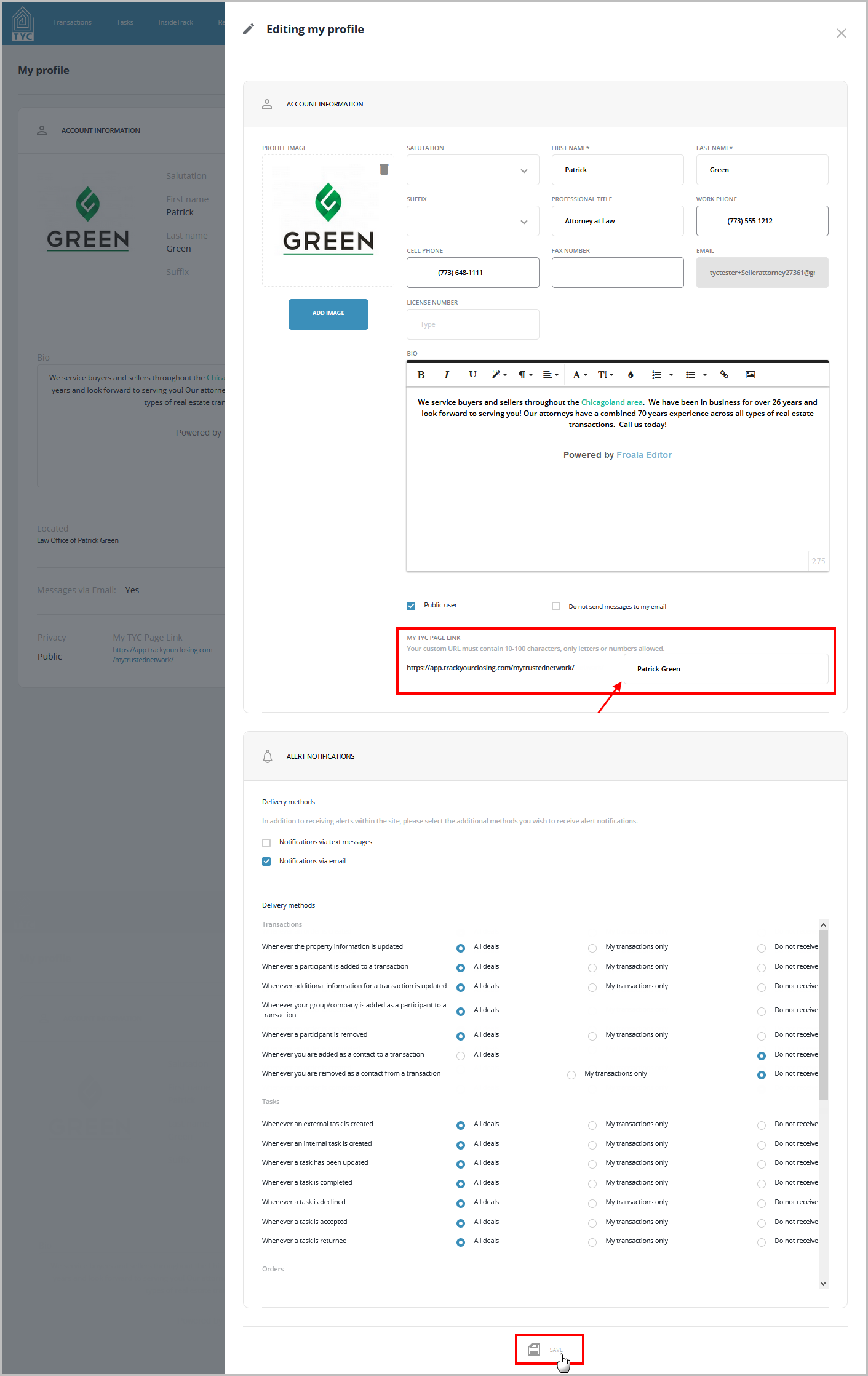
After you click "Save", your changes will be saved.
The criteria for your unique URL link are as follows:
Your custom URL must contain at least 10 characters (numbers and letters).
No special characters or spaces allowed. Dash symbol is allowed.
0 Comments