HOW TO REMOVE OR EDIT A PUBLISHED REVIEW FOR A SERVICE PROVIDER
In this tutorial, you will learn how to remove or edit a Review that you have previously left for a company, user, or group in TYC.
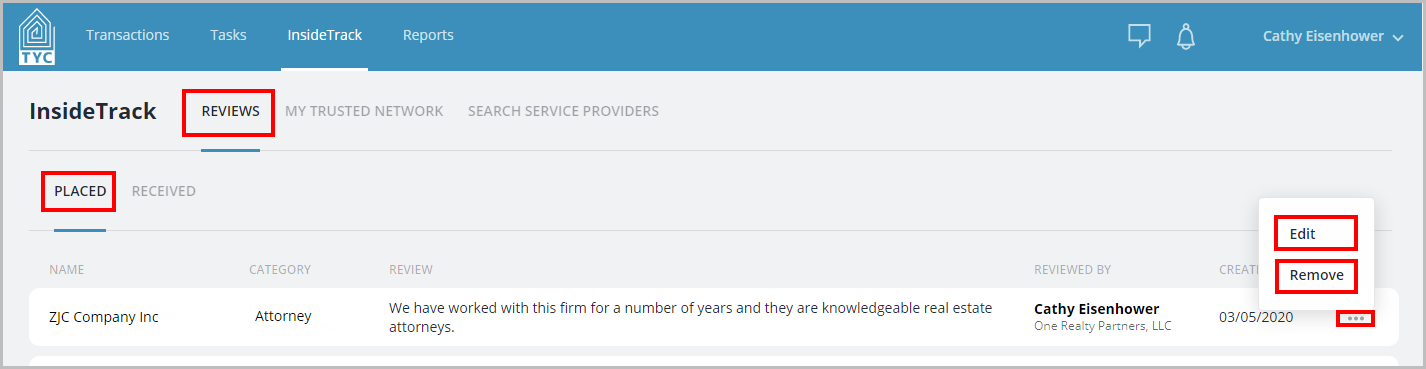
First, click the InsideTrack tab. Then, navigate to your "Reviews" section.
In the "Placed" tab, you may choose any of the Reviews that you have given other companies and choose "Edit" or "Remove" in the three dot menu :
:
- If you remove a review, the review will not appear any longer on the entity's page in InsideTrack.
- If you edit a review, your changes will reflect on the entity's page in InsideTrack.
After you edit or remove a review, your changes will reflect accordingly.
0 Comments