MOVING A USER TO A GROUP
In this tutorial, you will learn how to move a user to a group as an admin.
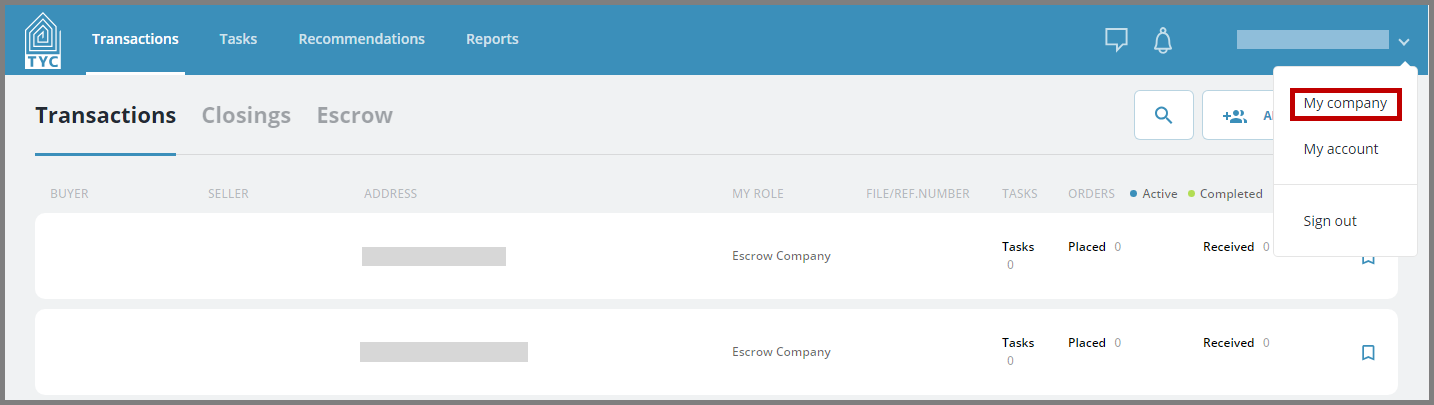
First, click your name in the top right corner and select "My company" in the drop-down:
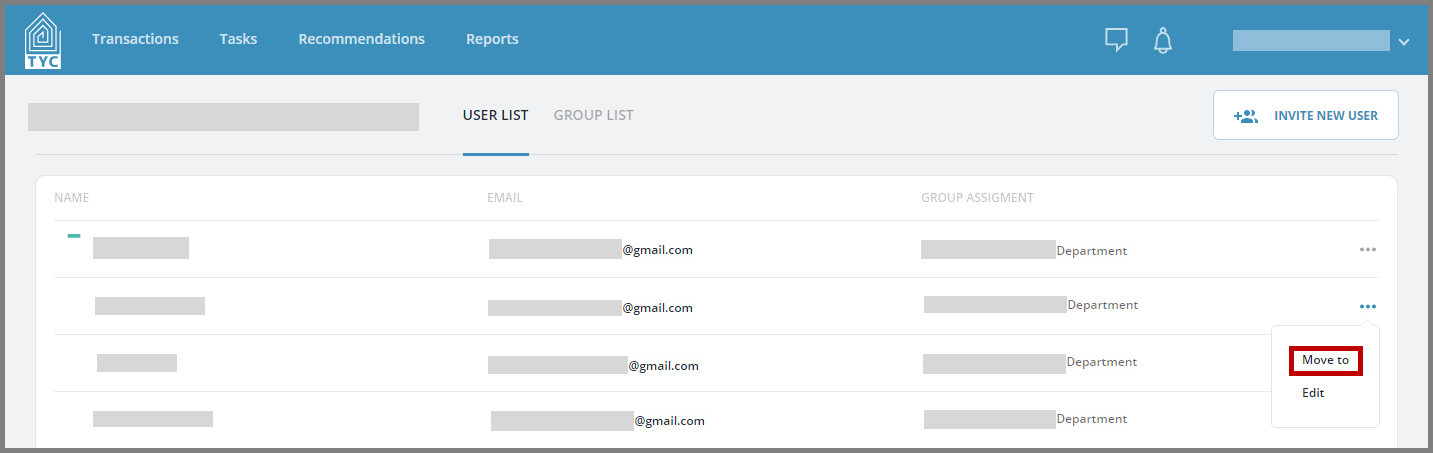
In the user list, click the more options menu  for the user you would like to move and then select "Move to":
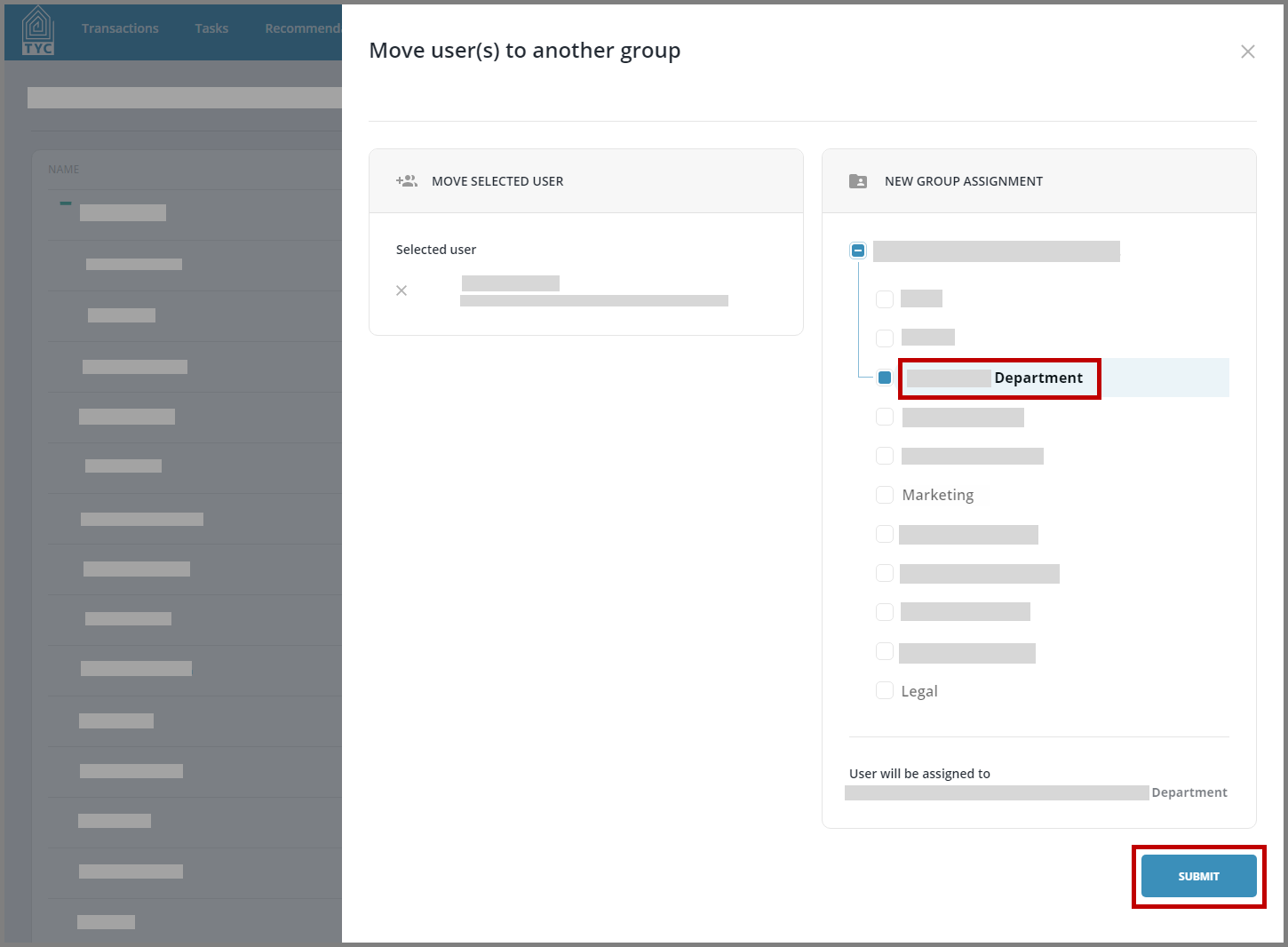
Select the plus button next to the company name to bring down the company hierarchy. Then select the group in which to move the user to by selecting the name of the group. Click "Submit" to move the user as intended:
0 Comments