REPLYING TO A MESSAGE
In this tutorial, you will learn how to reply or reply all to a message received in a transaction.
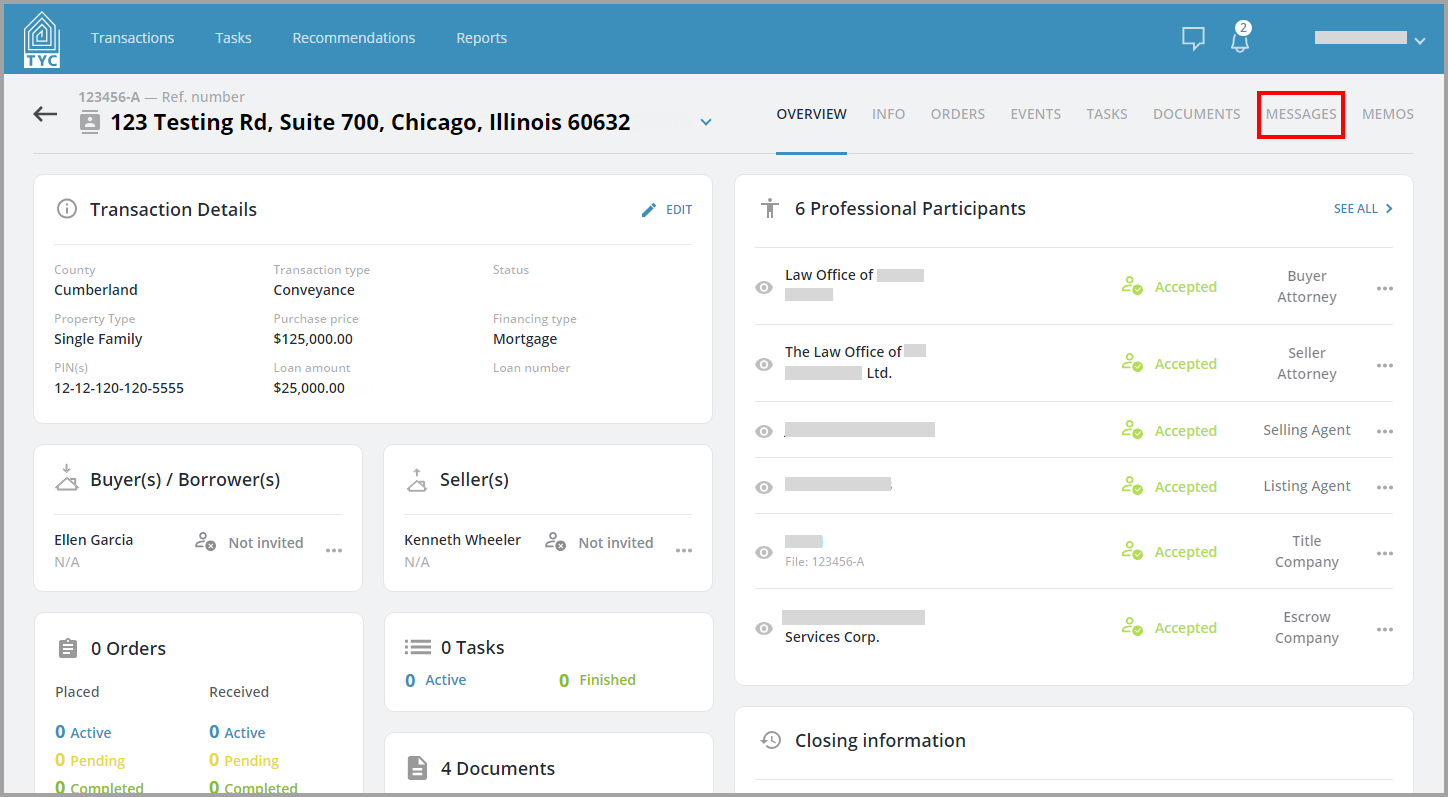
First, navigate to the Messages tab within a transaction.
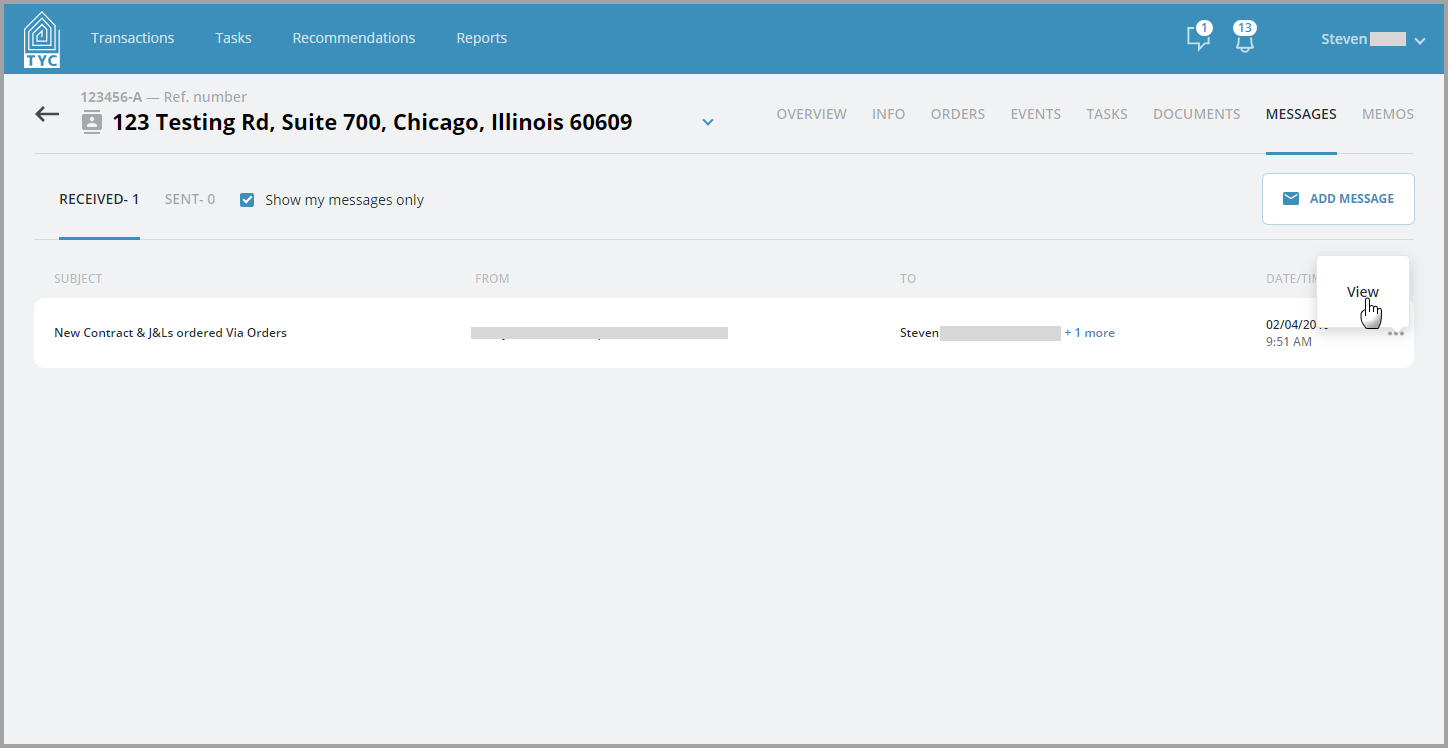
From there, choose the message you would like to reply to, and click "View" from the more options menu  :
:
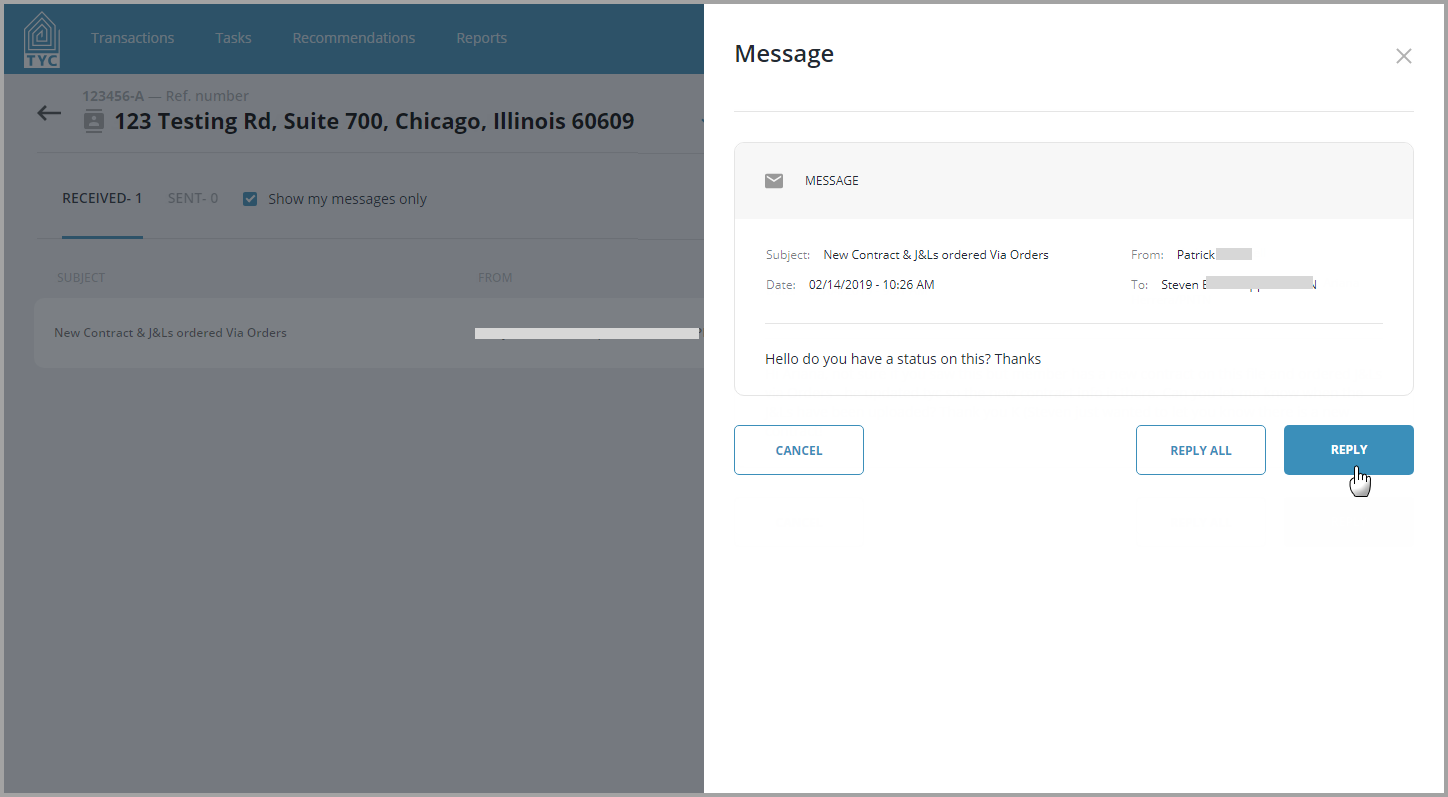
If you wish to reply only to the sender of the message, select "Reply". Note, if the original message was sent to multiple users, you have the ability to Reply All.
The recipient(s) will automatically appear on the under "Selected:", and you can modify accordingly. Next, fill in the message body. At this time you may also select an existing document from the transaction to link in your message:

When done, click "Create" to reply to the message

Then, your message will be sent to the desired participants.
0 Comments