CREATE A NEW TRANSACTION
In this tutorial, you will learn how to create a new transaction as a Buyer or Seller.
Once you log in, click the "Create Transaction" button, as shown:

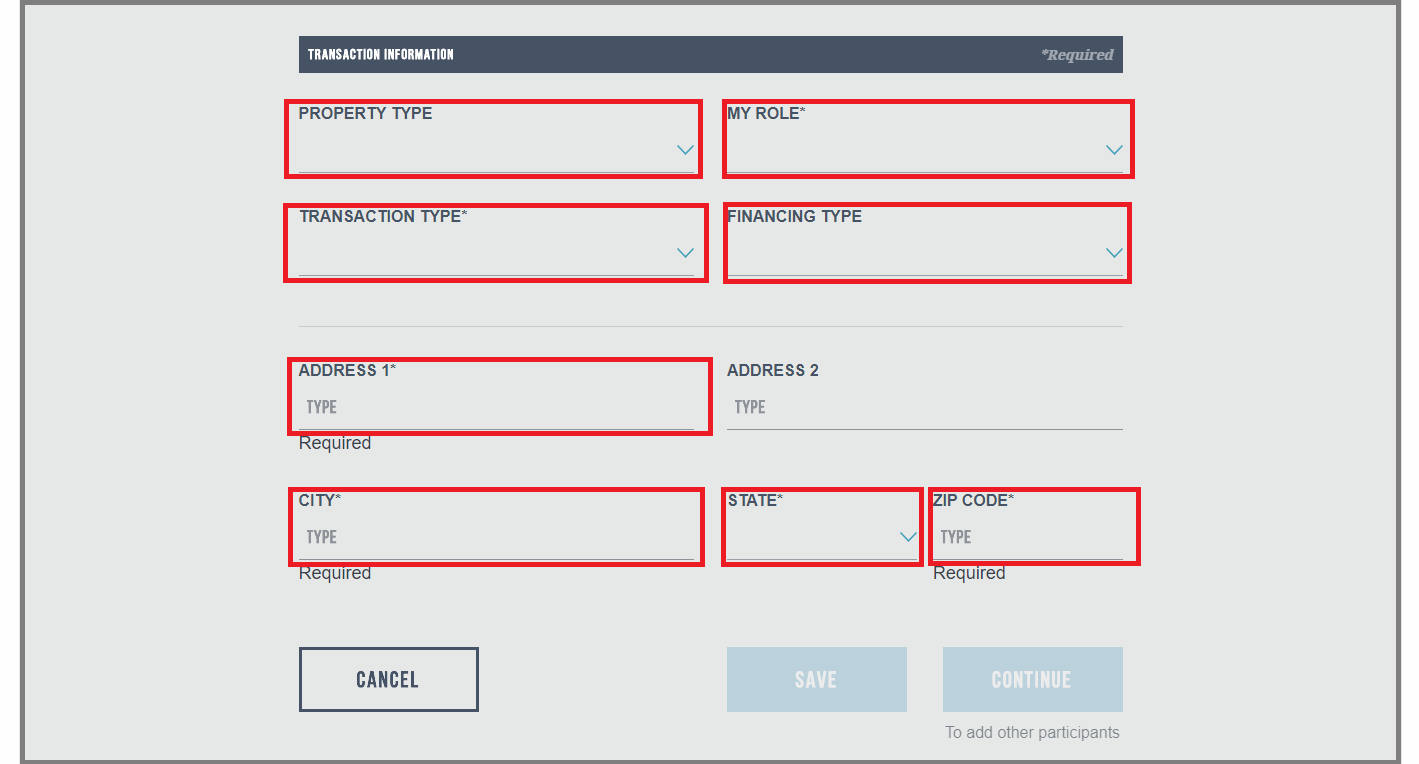
On the Transaction Information page, fill in all the fields for the new transaction:
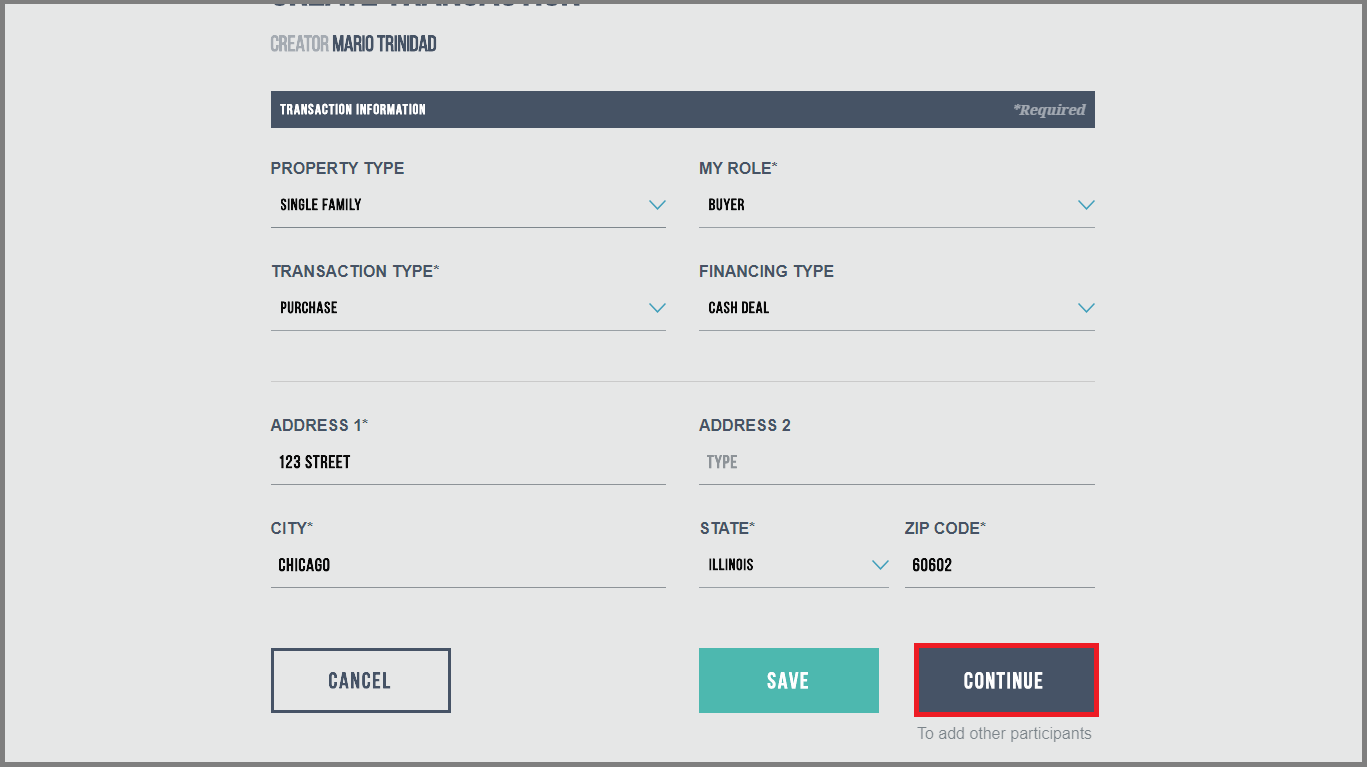
Once all fields have been filled in, click on the "Continue" button:
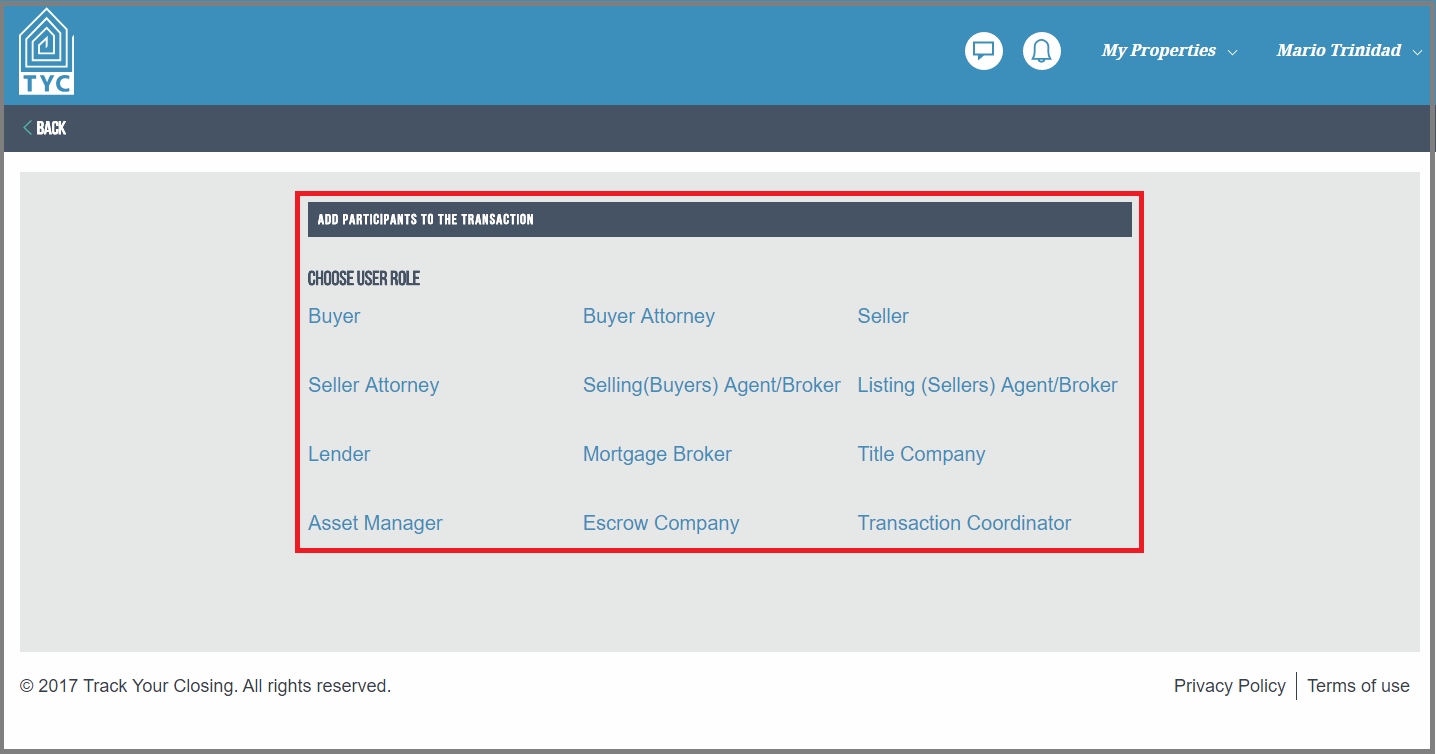
After creating the transaction you now can add participants to the transaction. Choose what role you would like to add:
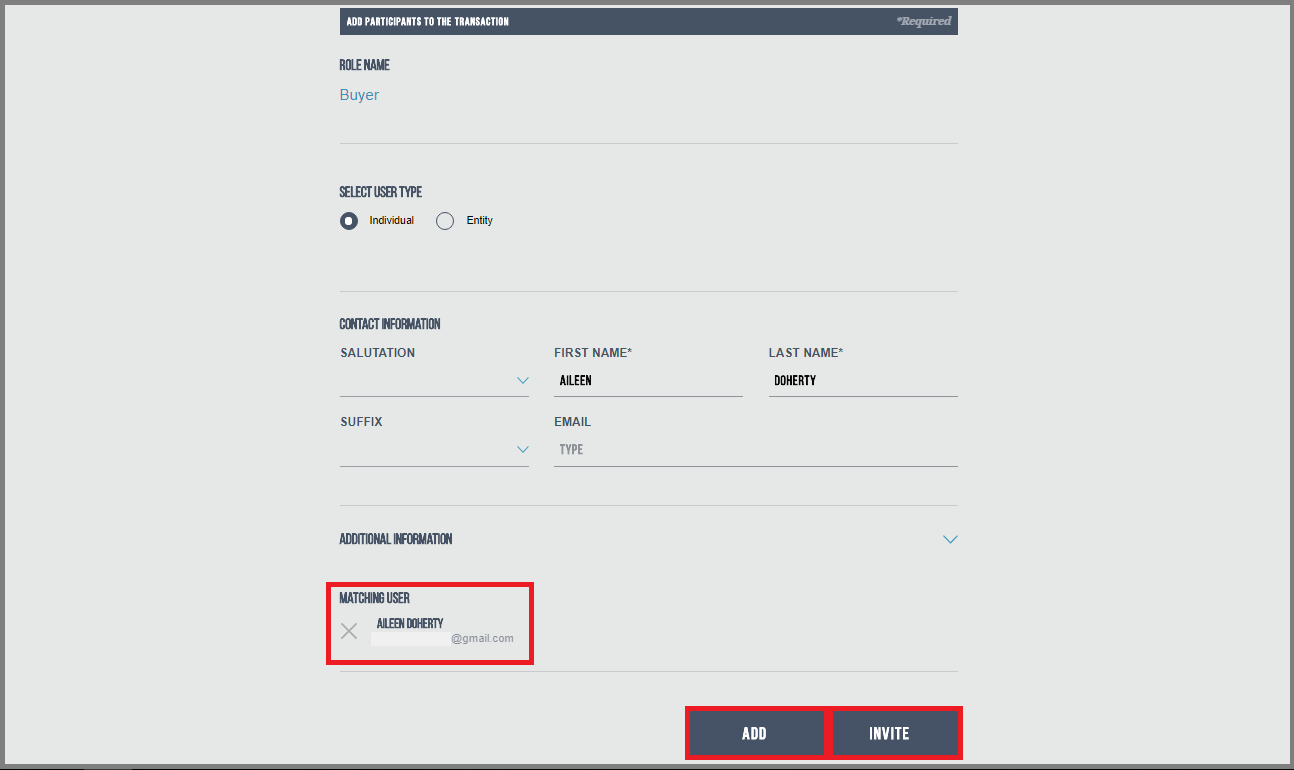
With the User role chosen for the user you wish to add to the transaction, fill in the following fields with the user's information:
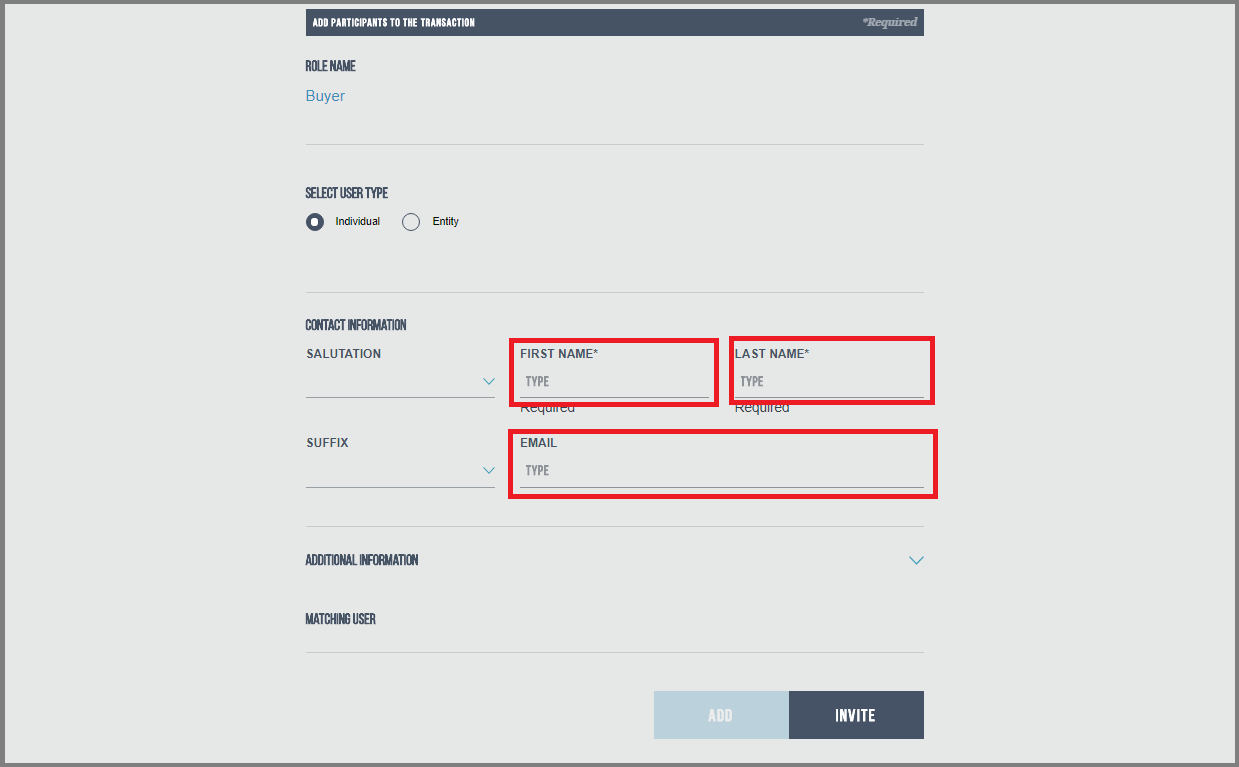
You may search for an existing user and they will populate under Matching User if they already have an account. Then, click the "ADD" button. If they are a new user that you are inviting to TYC, you will fill in the fields and then click on the "INVITE" button:
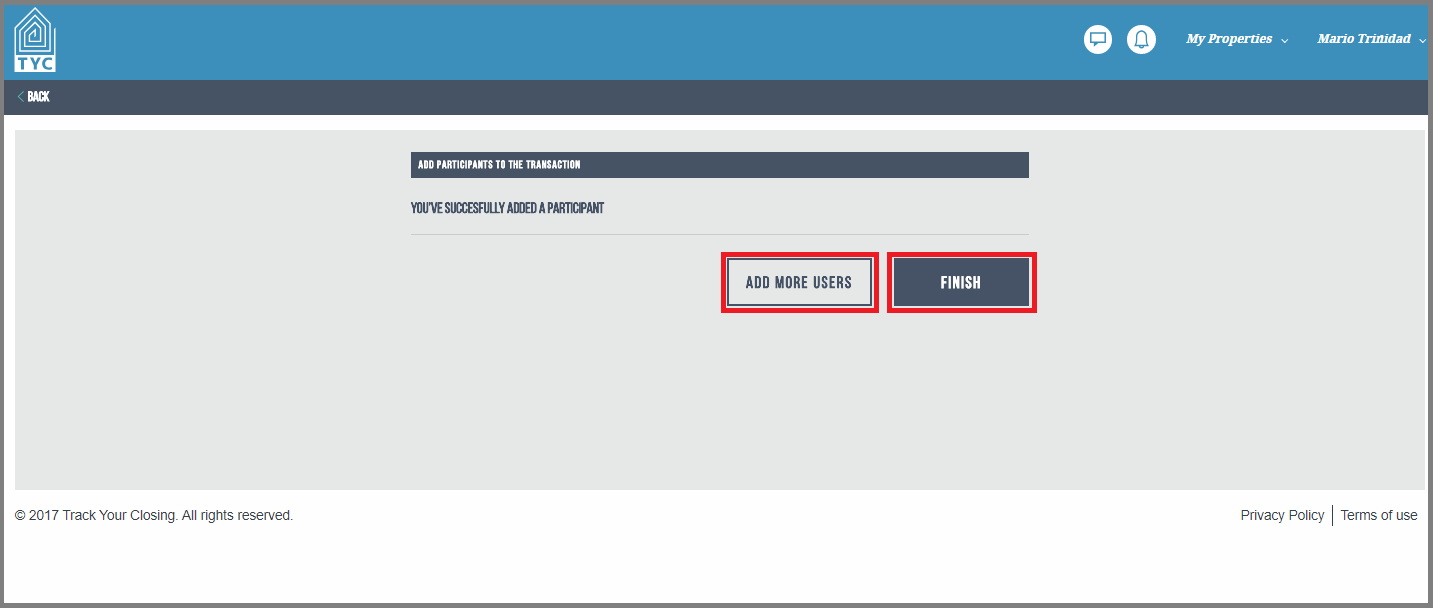
After choosing "Add" or "Invite", you may then "Add More Users" or click "Finish":
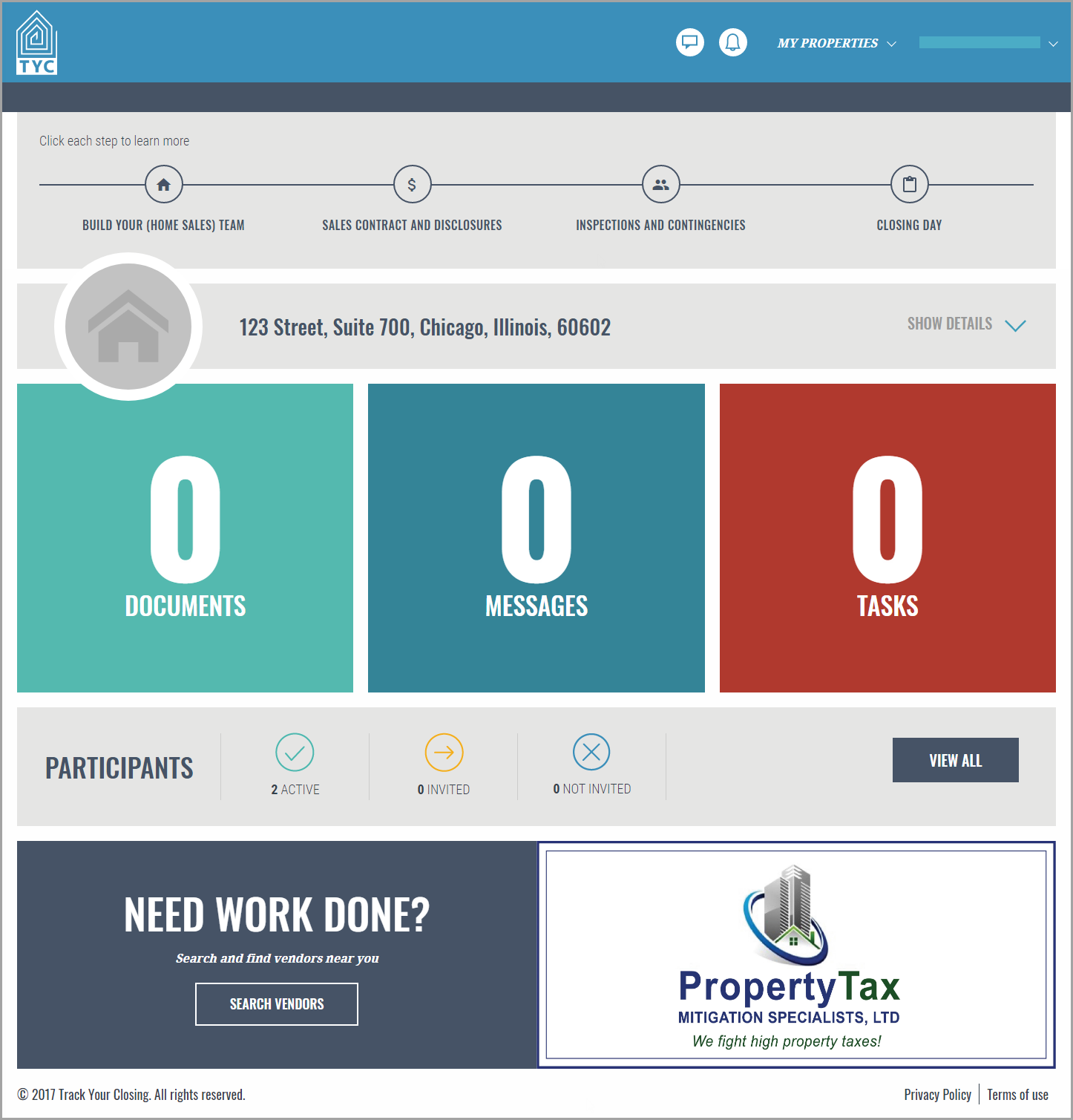
After you are done adding users, click “Finish” and you will be led to the main transaction page:
0 Comments