EDIT A FOLDER
In this tutorial, you will learn how to edit a folder in TYC.
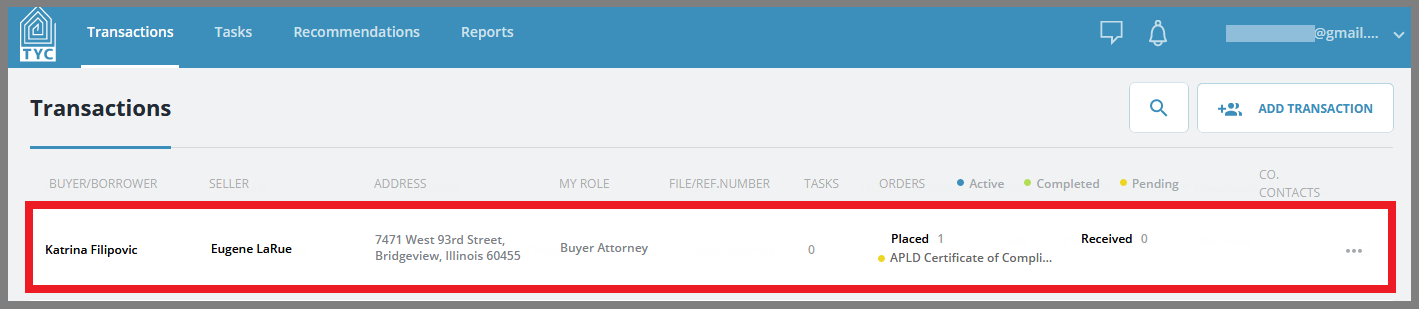
On the transaction section, select a transaction:
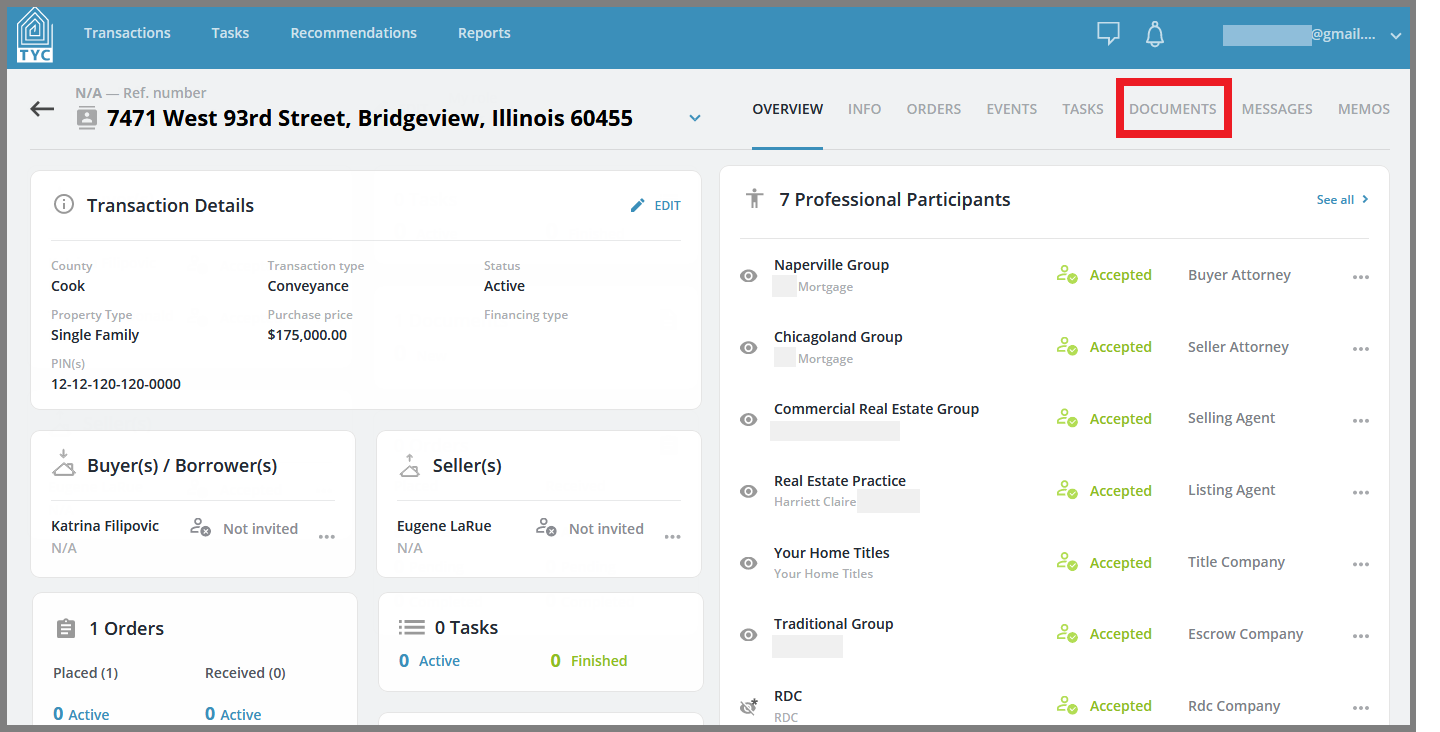
Now that you have chosen a transaction, click on the Documents tab:
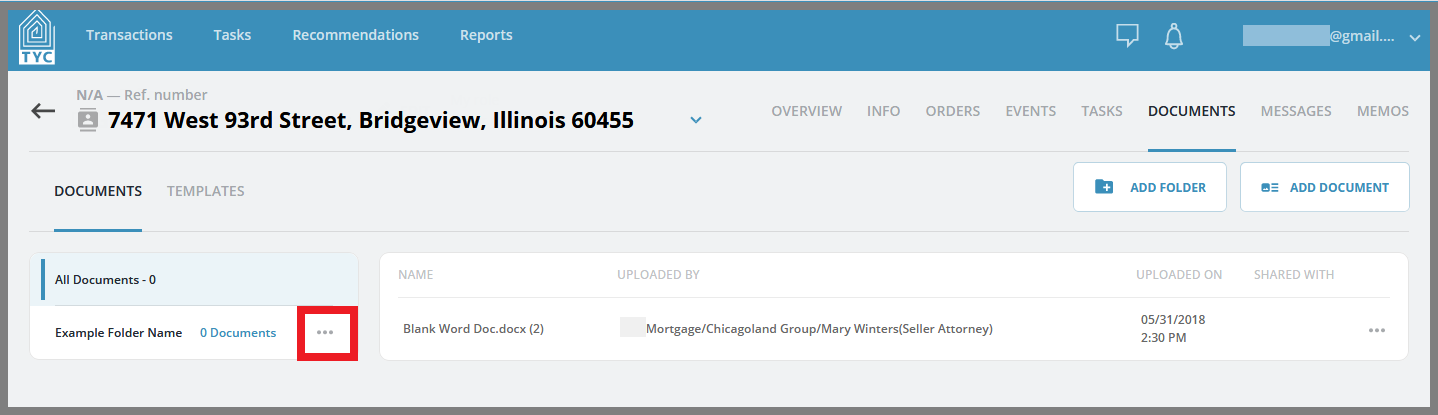
Select the folder you'd like to edit, and click on the more option menu  button next to the folder name:
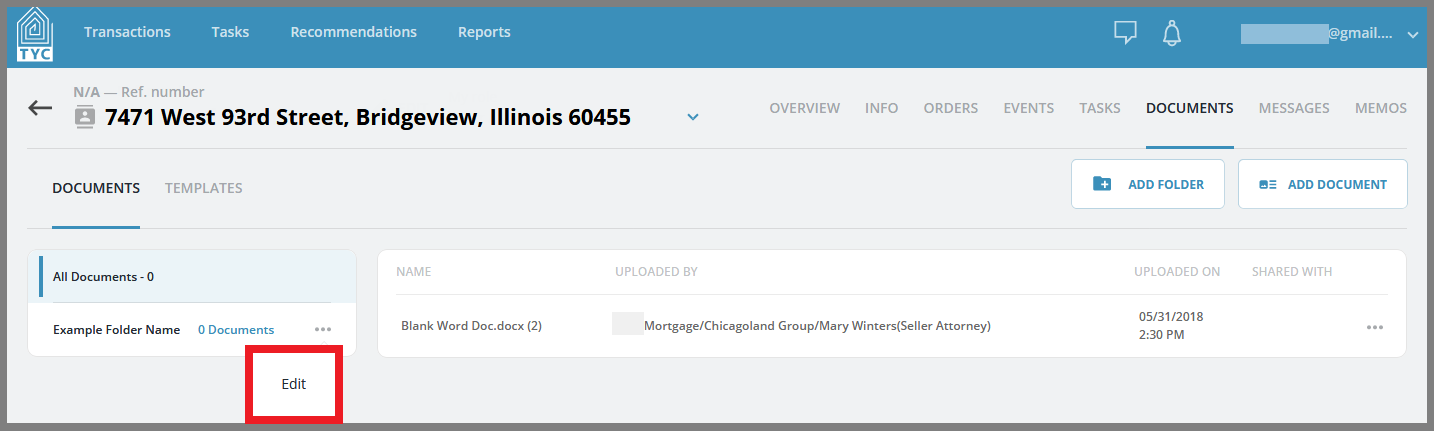
Click "Edit":
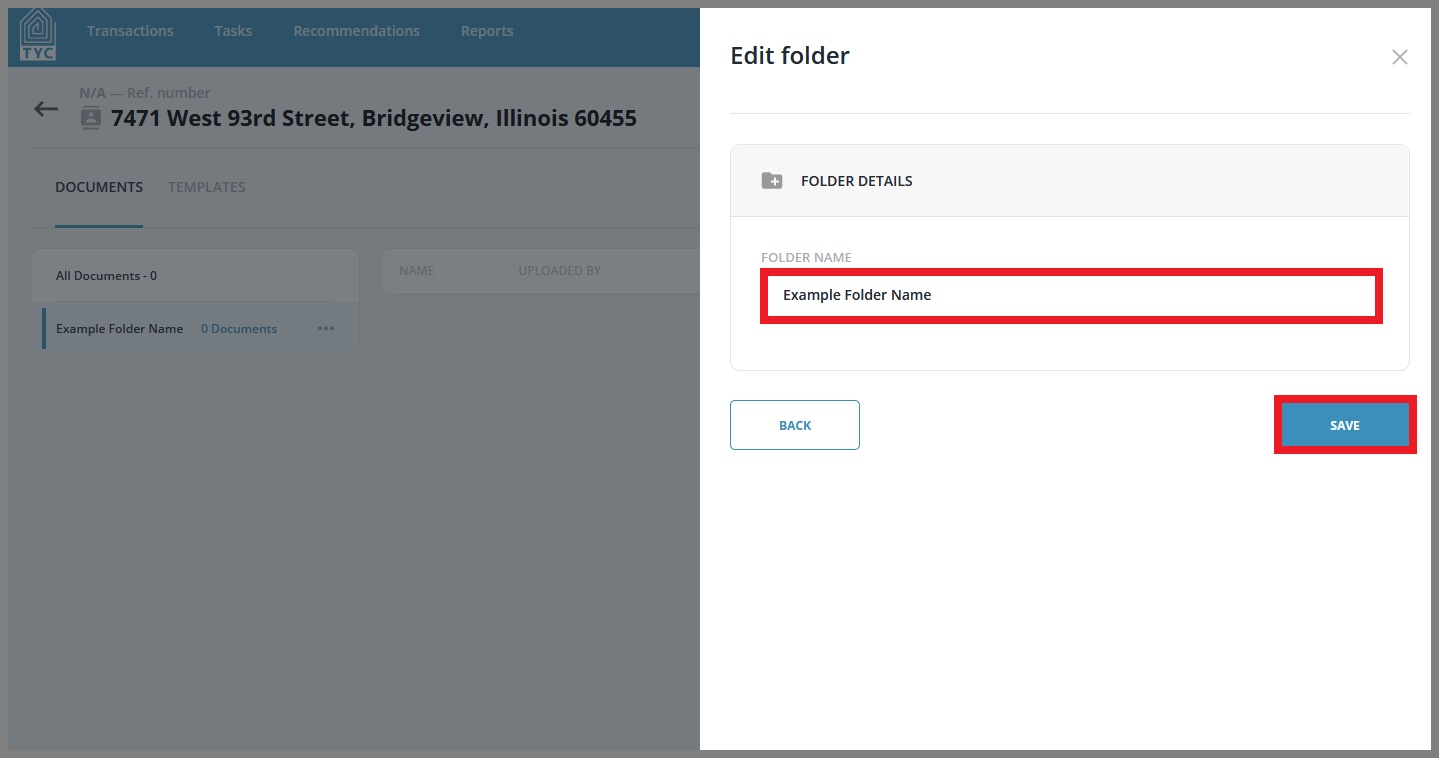
In the Edit Folder slider, you can rename your folder accordingly. Click "Save" to save your changes or "Back" to go back:
0 Comments