DELETE A DOCUMENT
In this tutorial, you will learn how to delete a document that you have uploaded in TYC. Note: only the owner of the document can remove their own document(s).
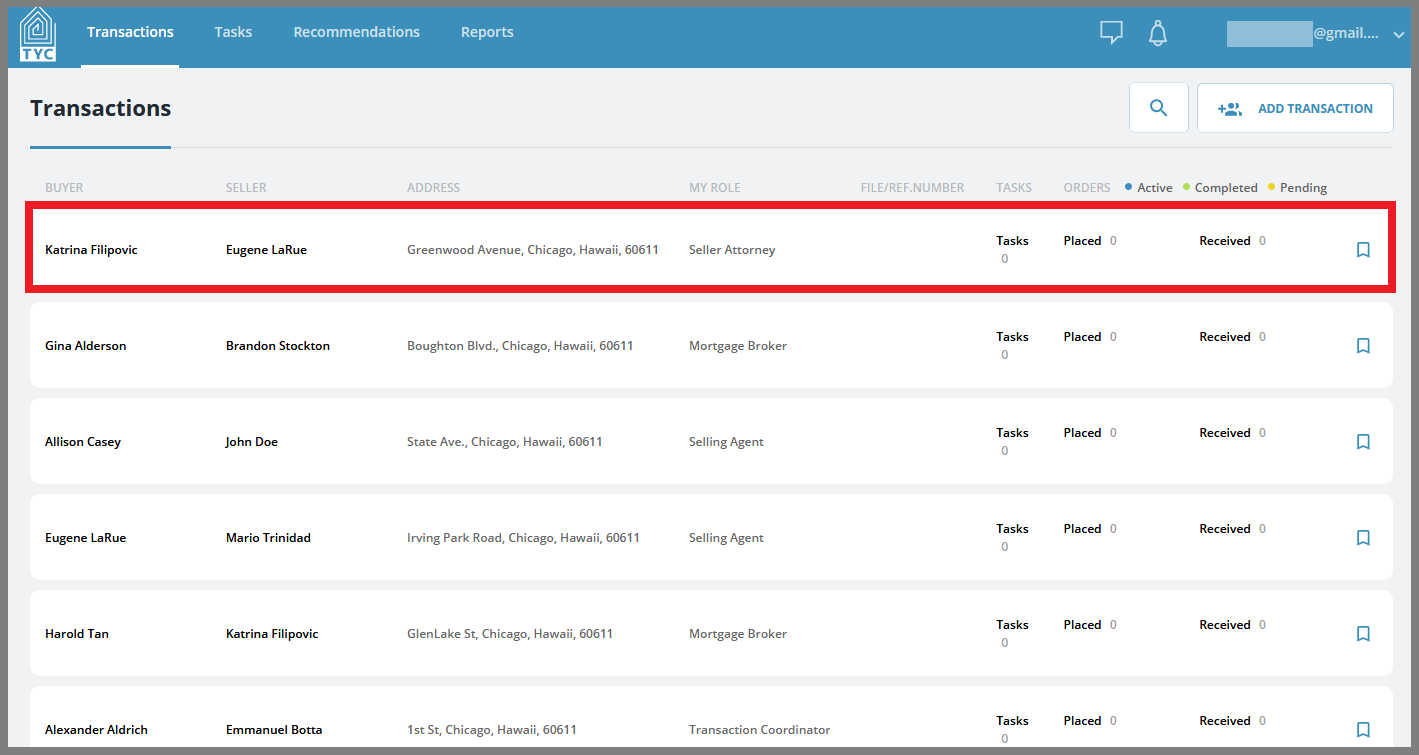
Select what transaction you'd like to delete a document within:
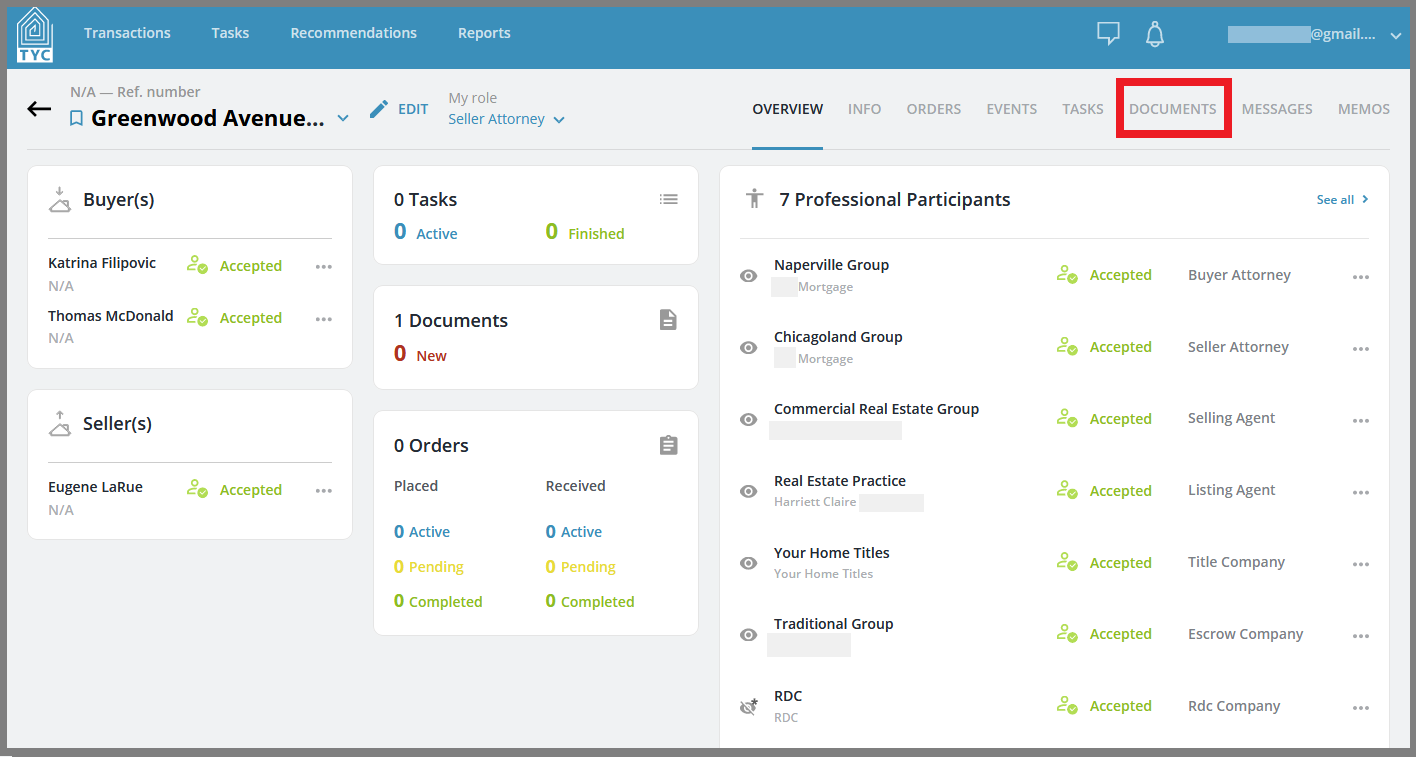
Now that you have chosen a transaction, click on the Documents tab:
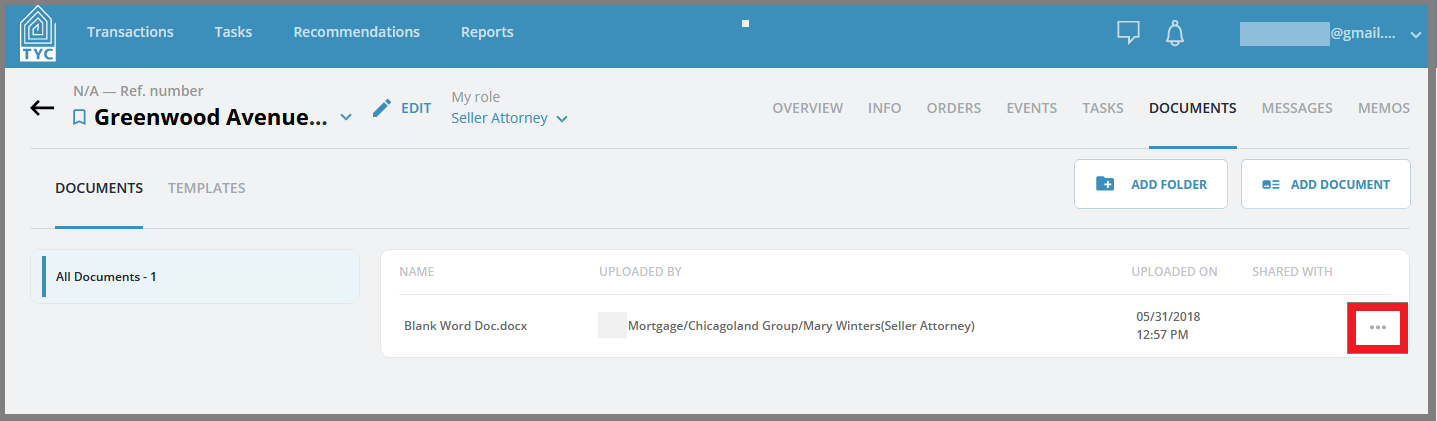
Select the document you'd like to delete, and click on the more options menue  :
:
On the menu, click "Remove":
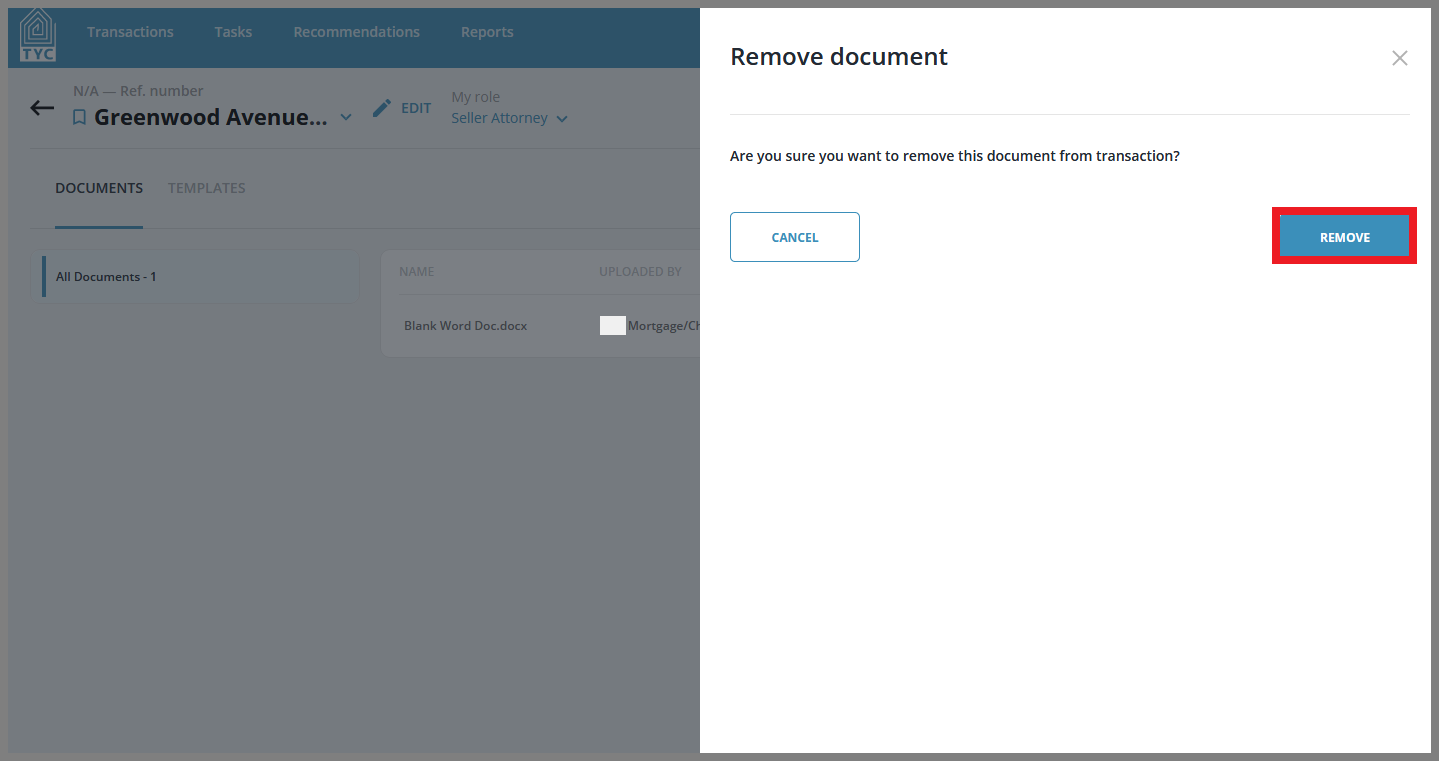
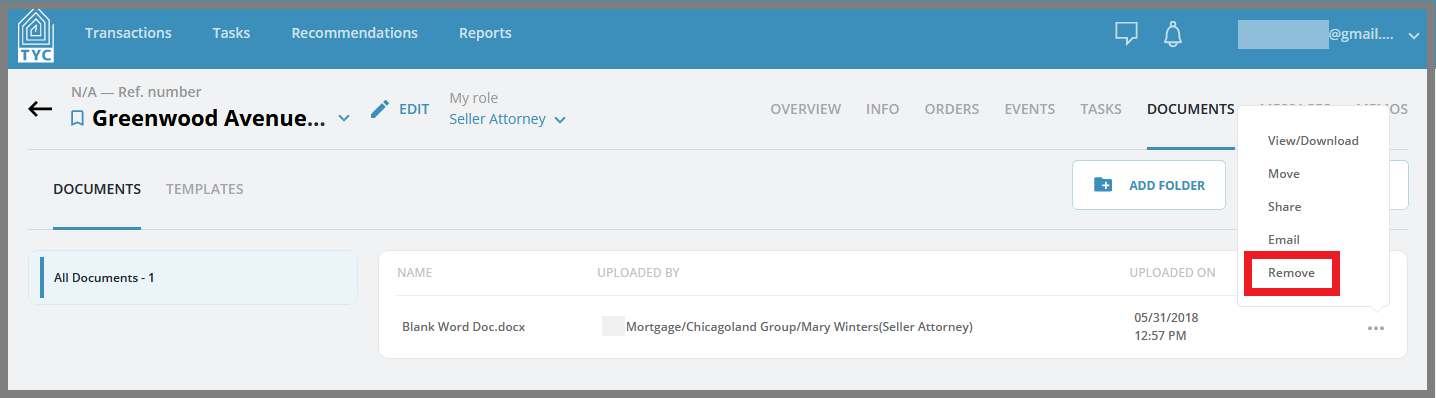 On the slider click "Remove" if you are sure you want to delete your document:
0 Comments