CREATING A MEMO
In this tutorial, you will learn how to create a memo within a transaction. Memos that you and others in your company create in transactions are visible only to you and those in your company.
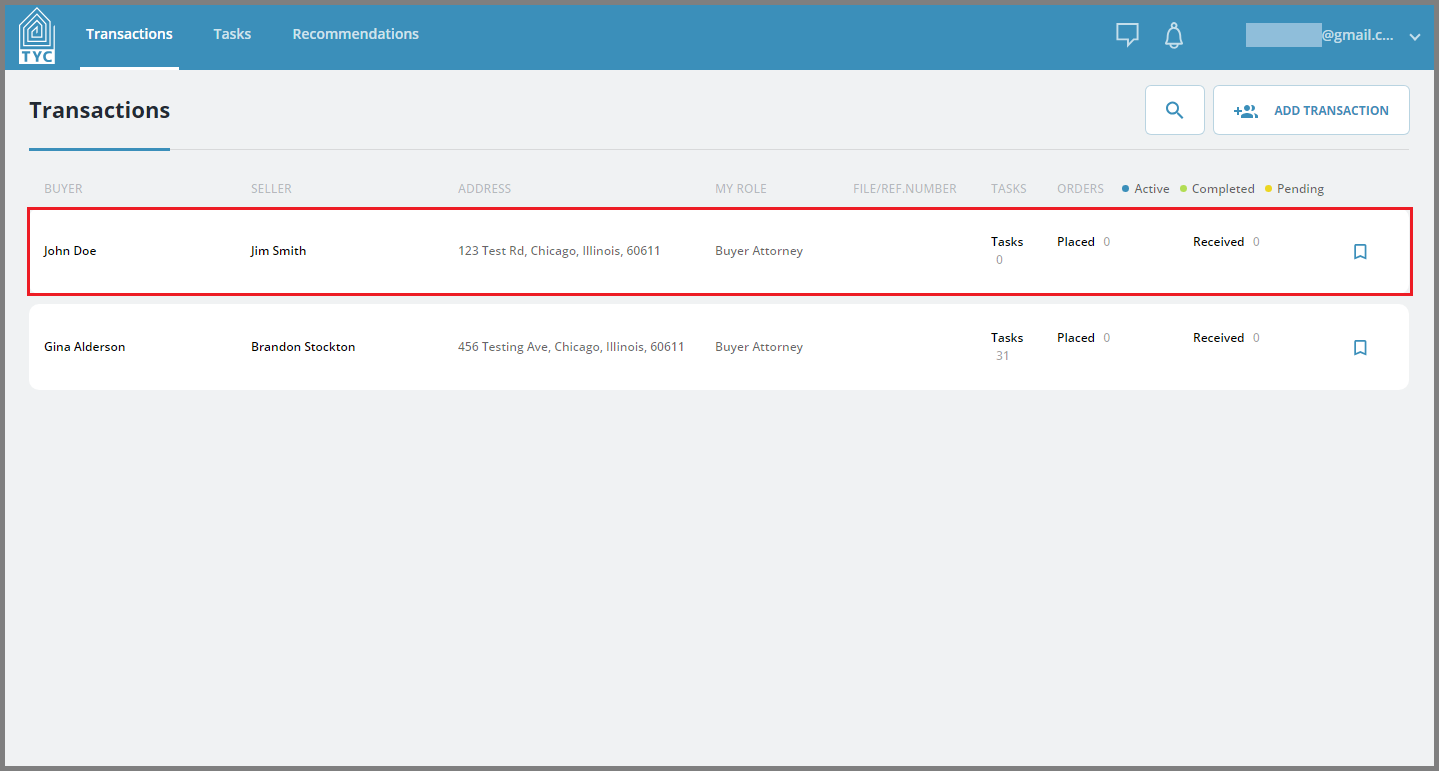
From the homepage, select the transaction you wish to create a memo in:
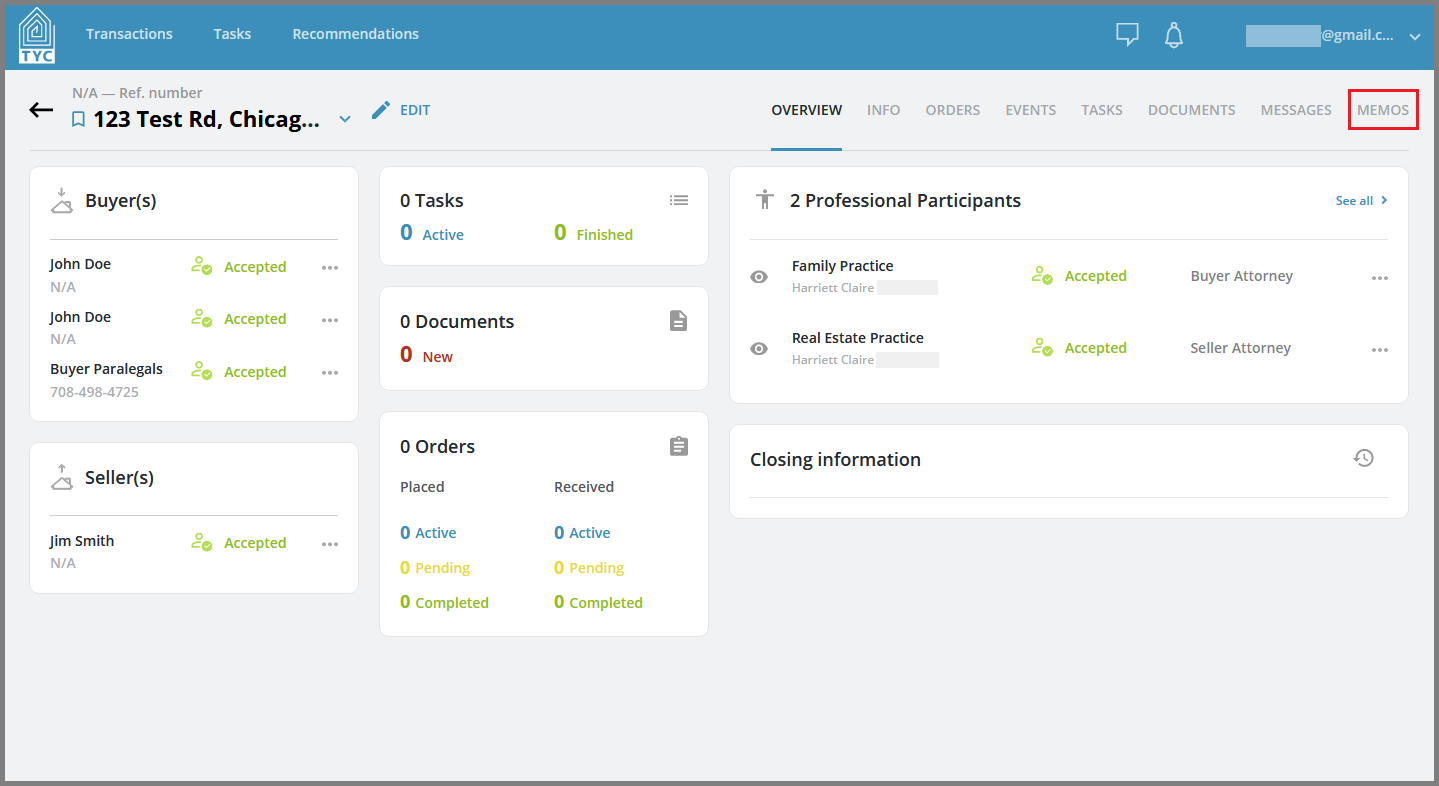
Once inside the transaction, navigate to the Memos tab in the menu bar:
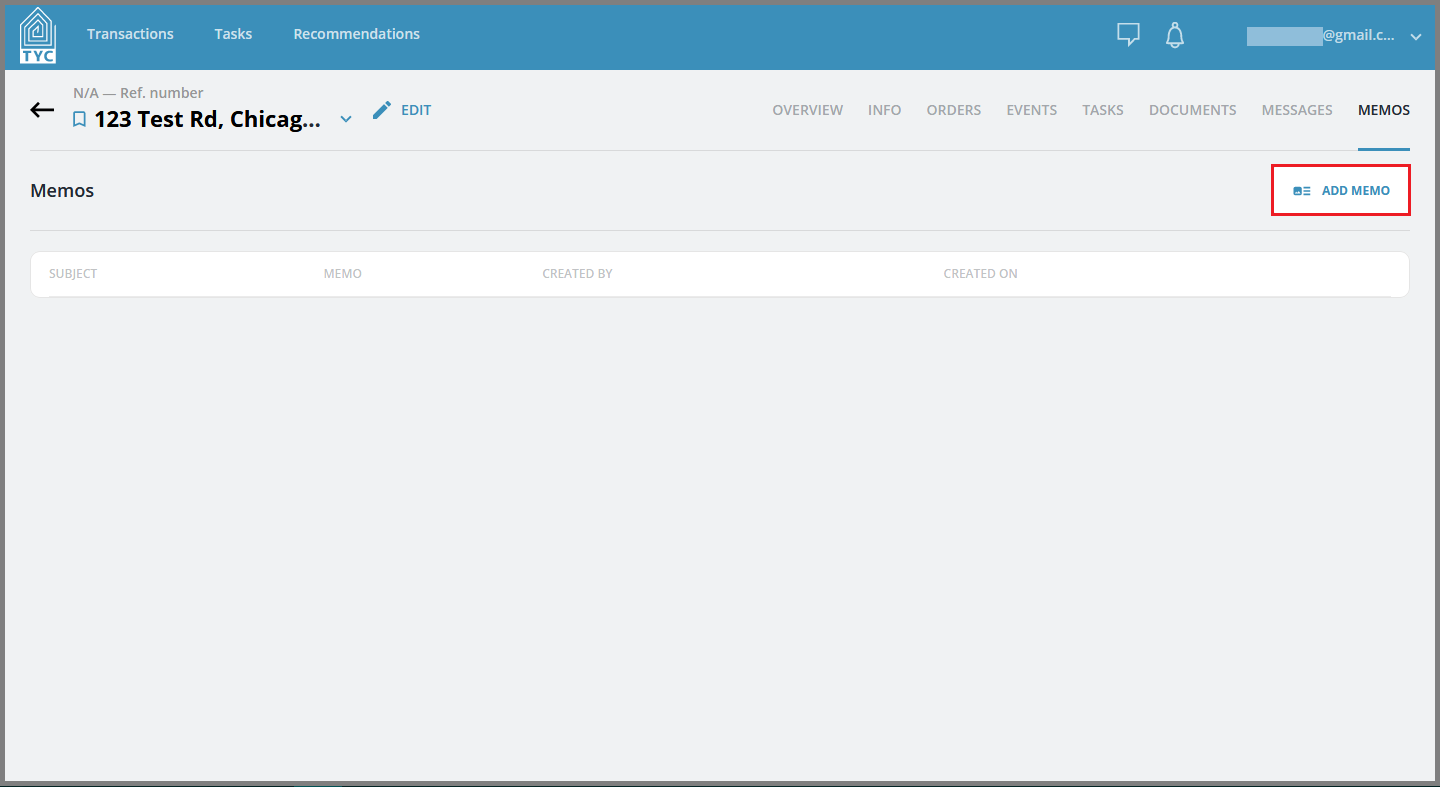
Click the "Add Memo" button to the right:
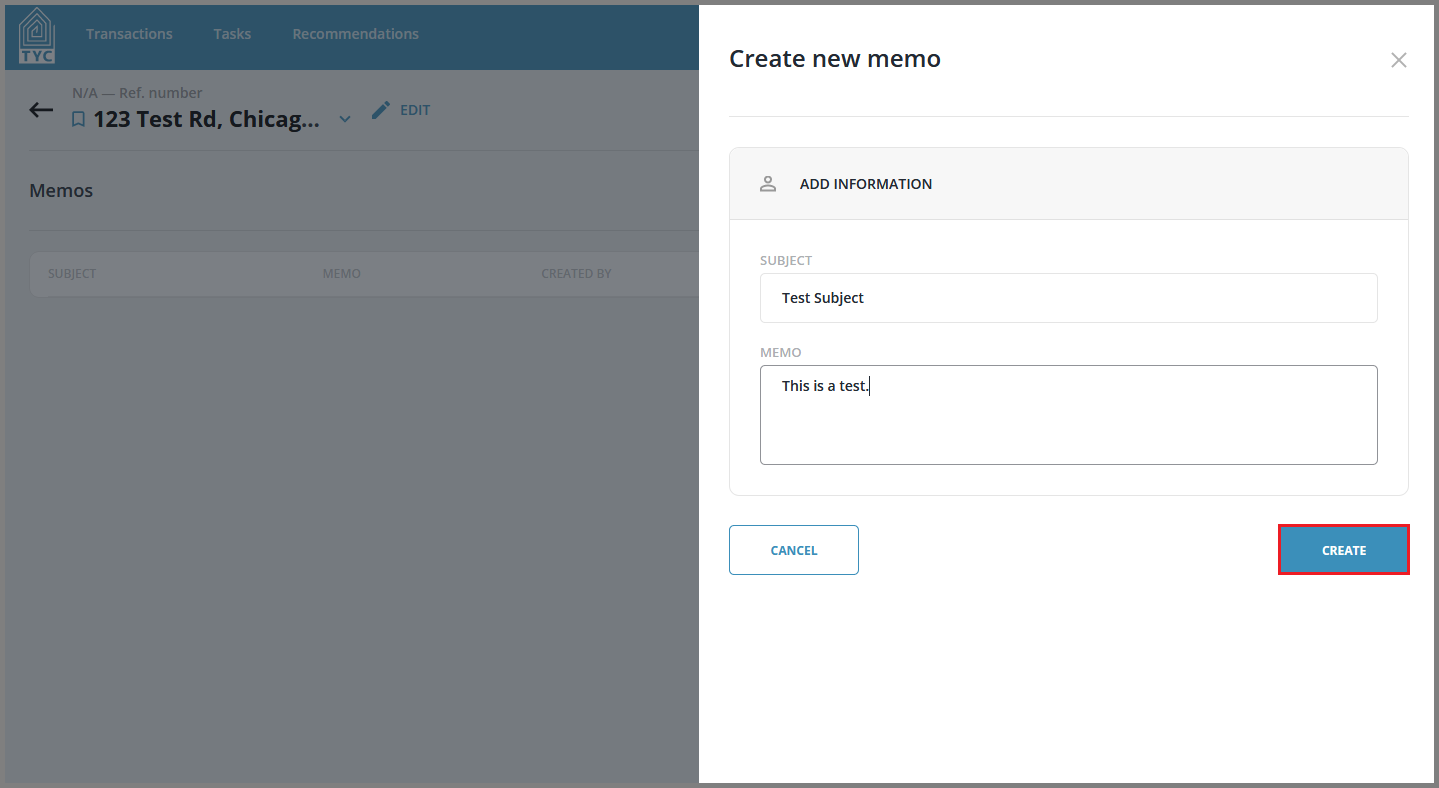
Fill in the memo subject and body fields and click "Create" to create the memo:
0 Comments