MOVE A DOCUMENT
In this tutorial, you will learn how to move a document in TYC from one folder to another.
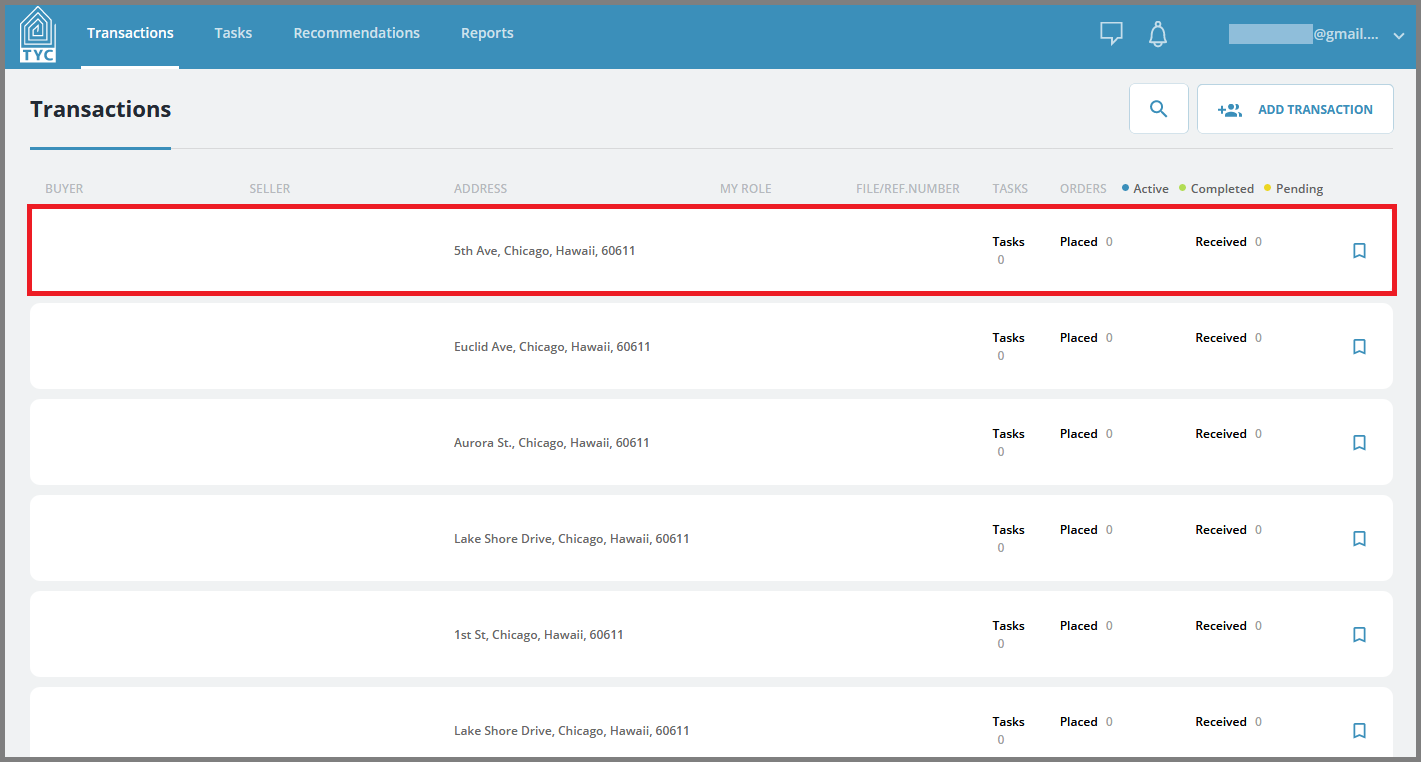
On the transaction section, select the transaction you'd like to move a document within:
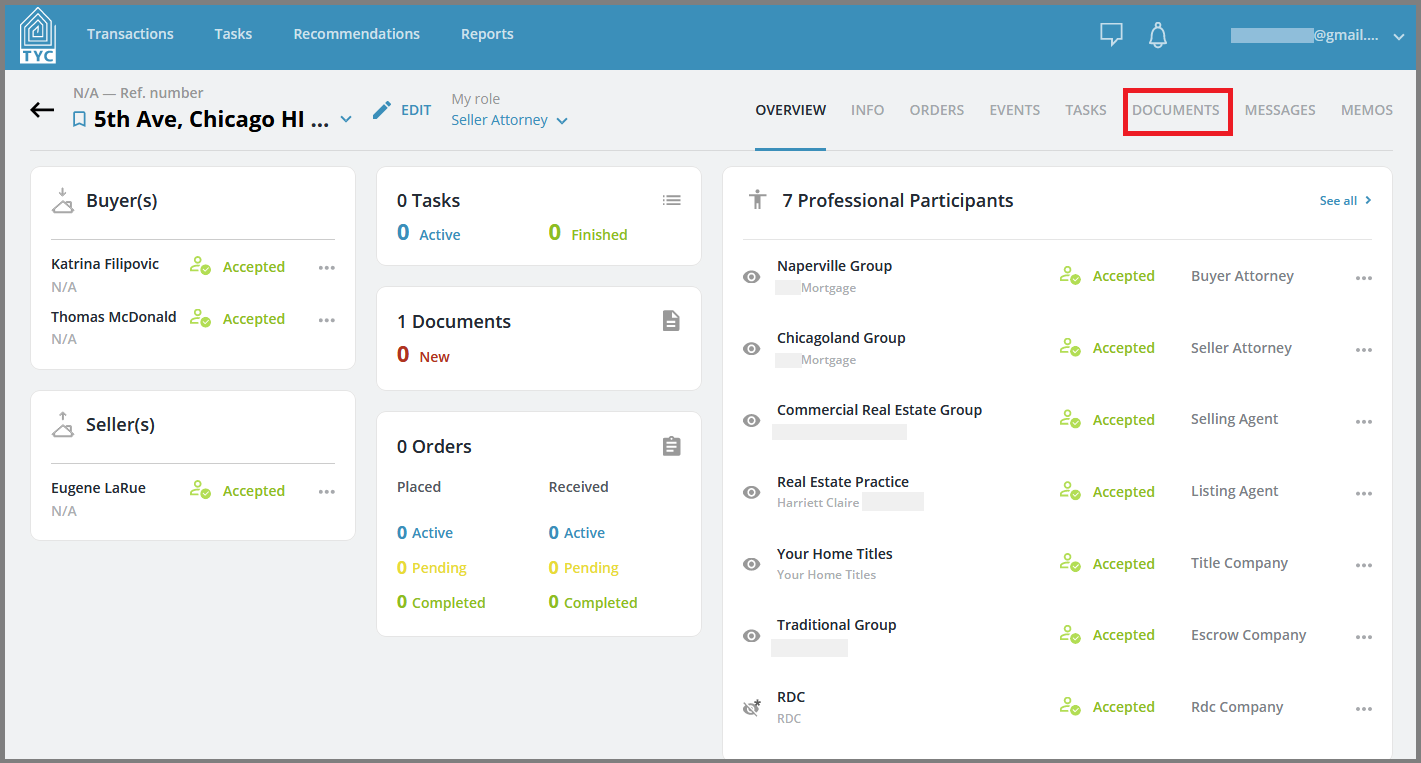
Now that you have chosen a transaction, click on the Documents tab:
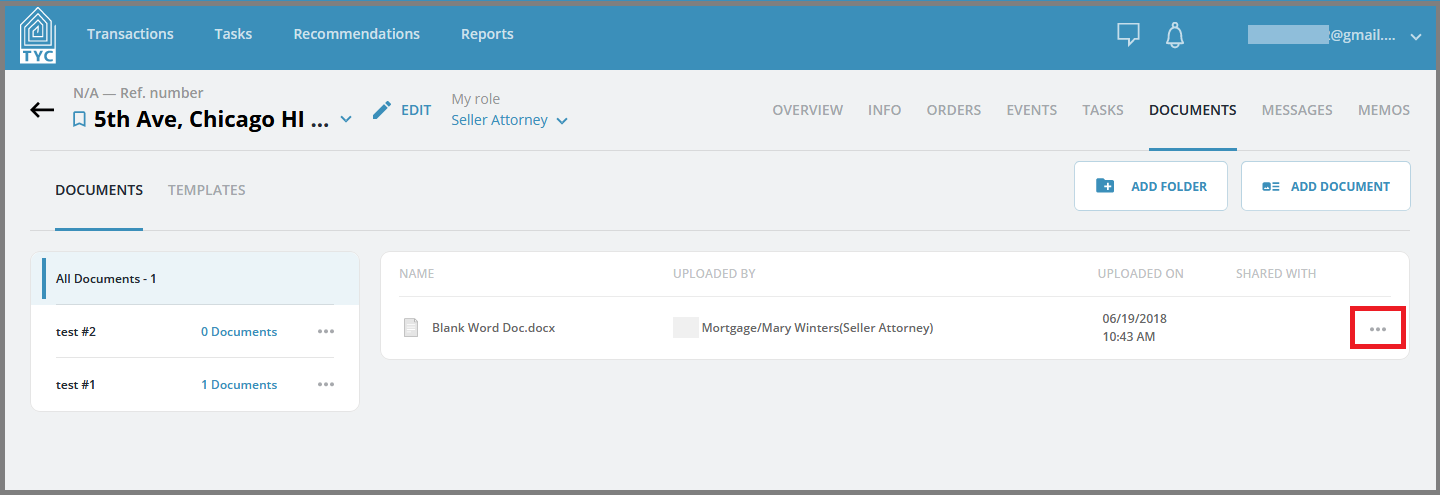
Click on the more options menu  button next to the document you'd like to move:
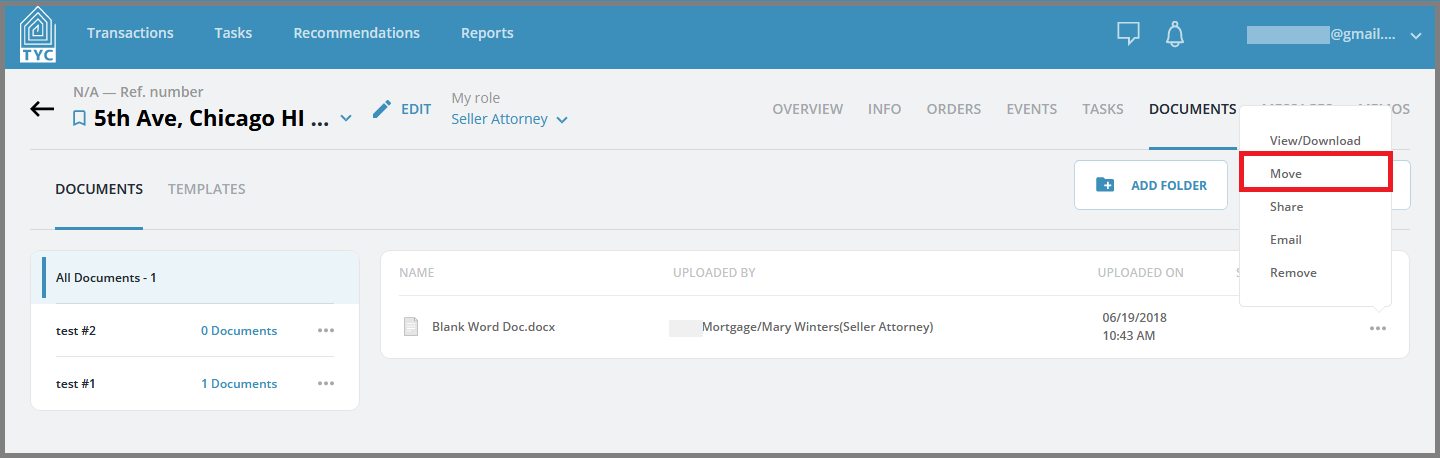
Click "Move" in the menu:
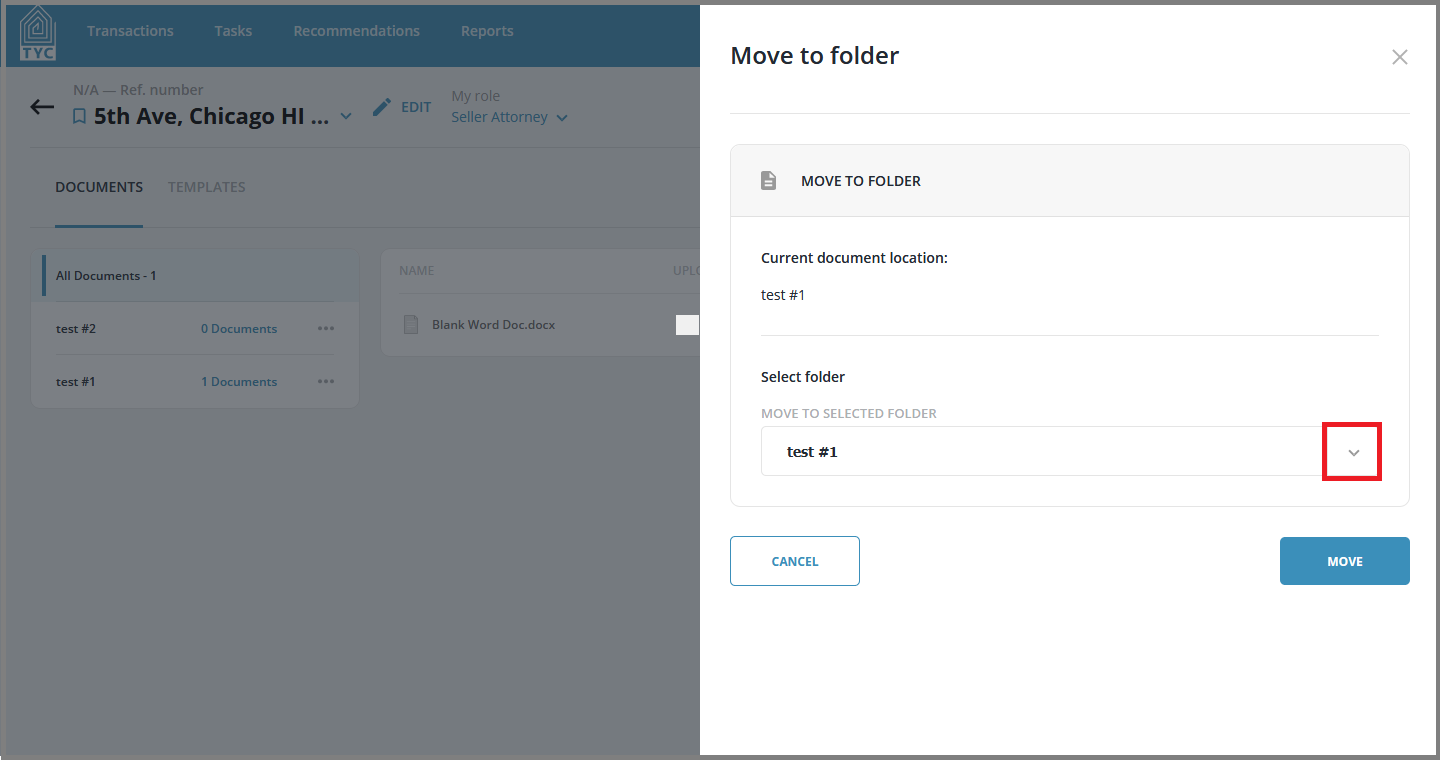
In the Move to folder slider, select the folder you wish to move your document to:
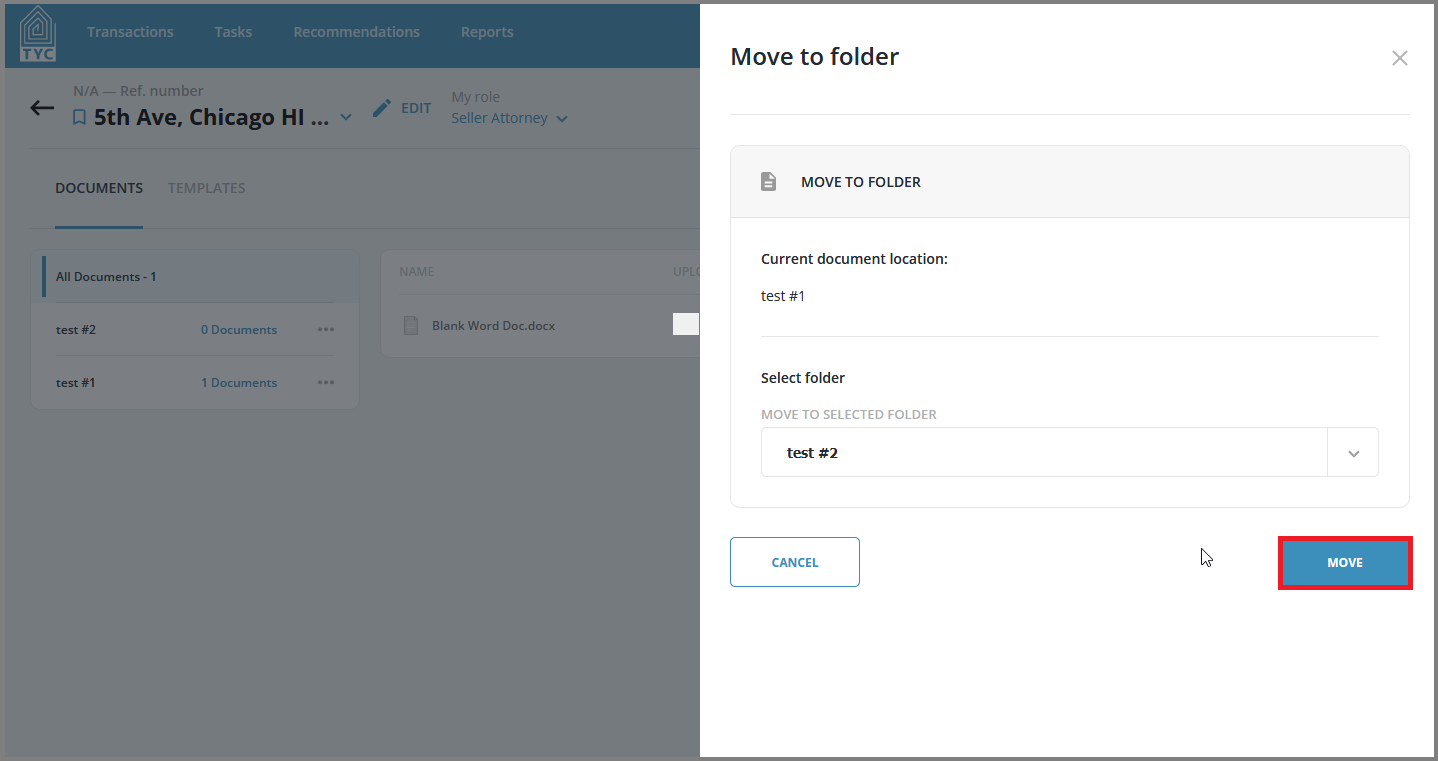
Once selected, click the "Move" button to finish moving the document to the desired destination:
0 Comments