ADD A FOLDER
In this tutorial, you will learn how to add a folder to a transaction in TYC.
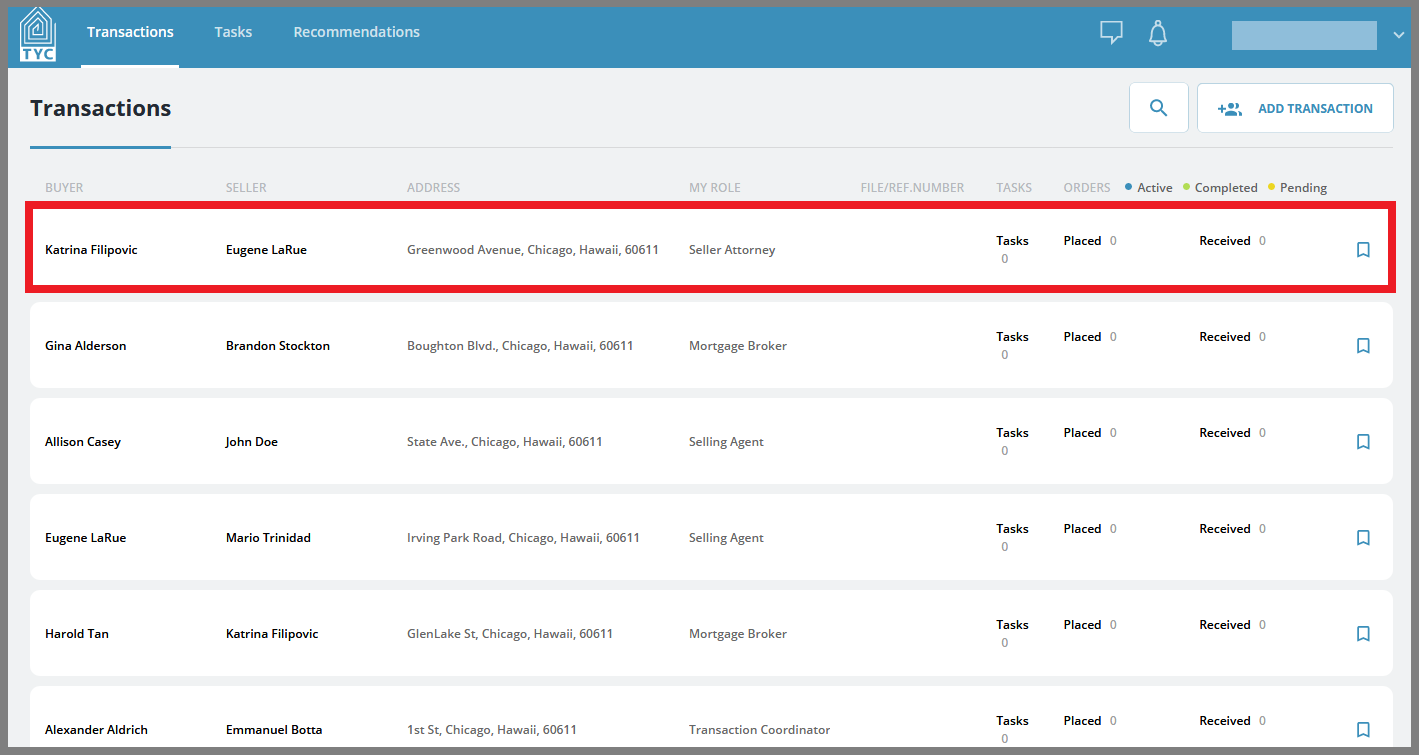
On the transactions section, select what transaction you'd like to add a folder within:
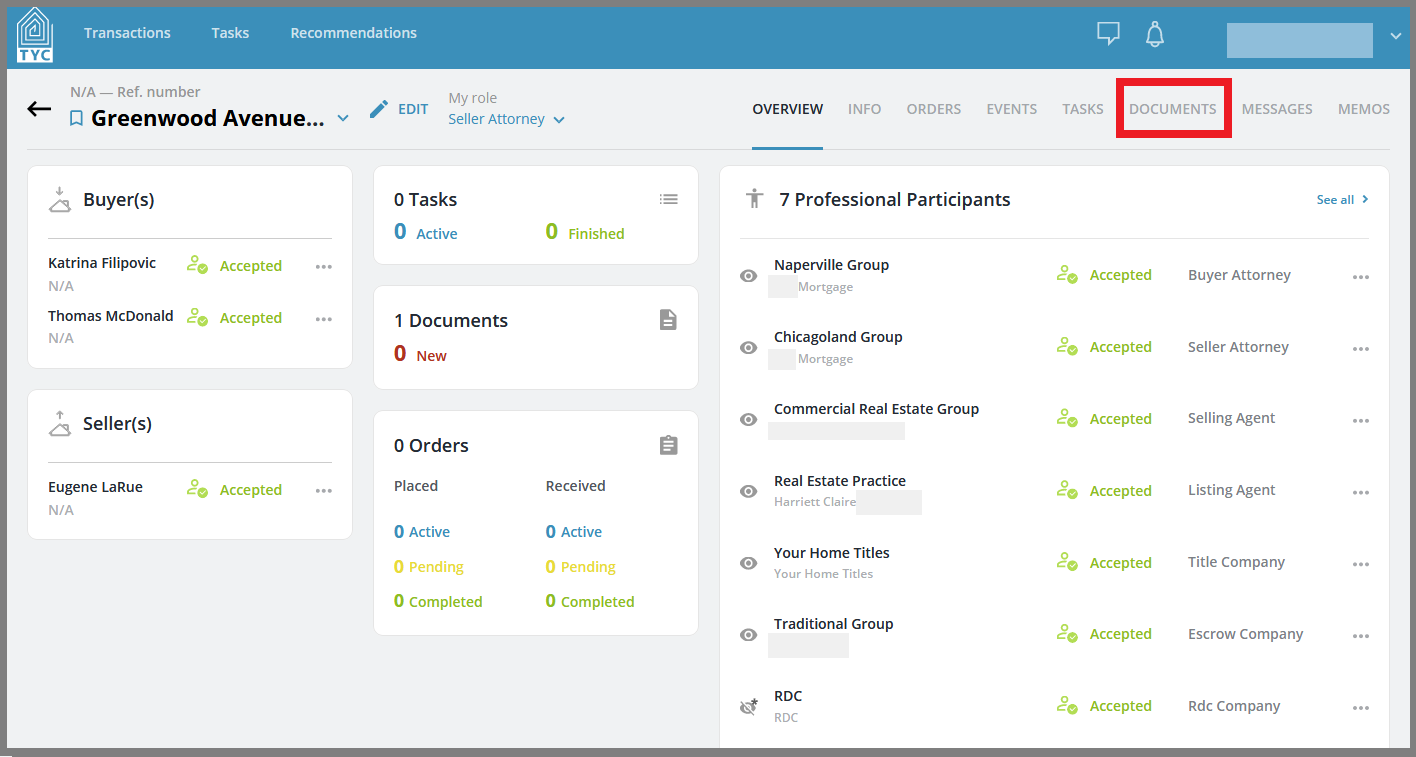
Now that you have chosen a transaction, click on the Documents tab:
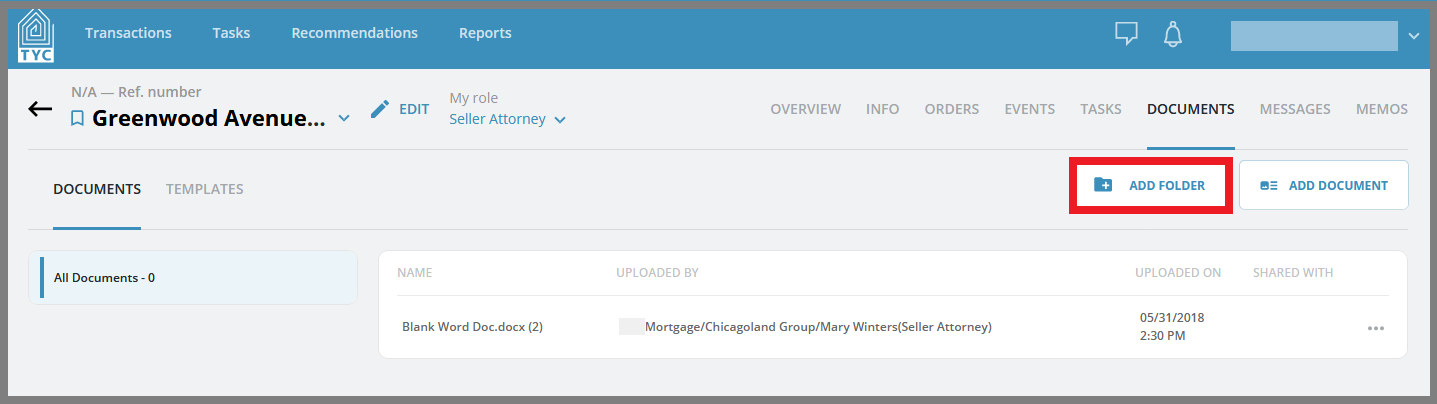
On the Documents page, click the "Add Folder" button:
Now in the Add Folder slider, name your new folder in the outlined field:
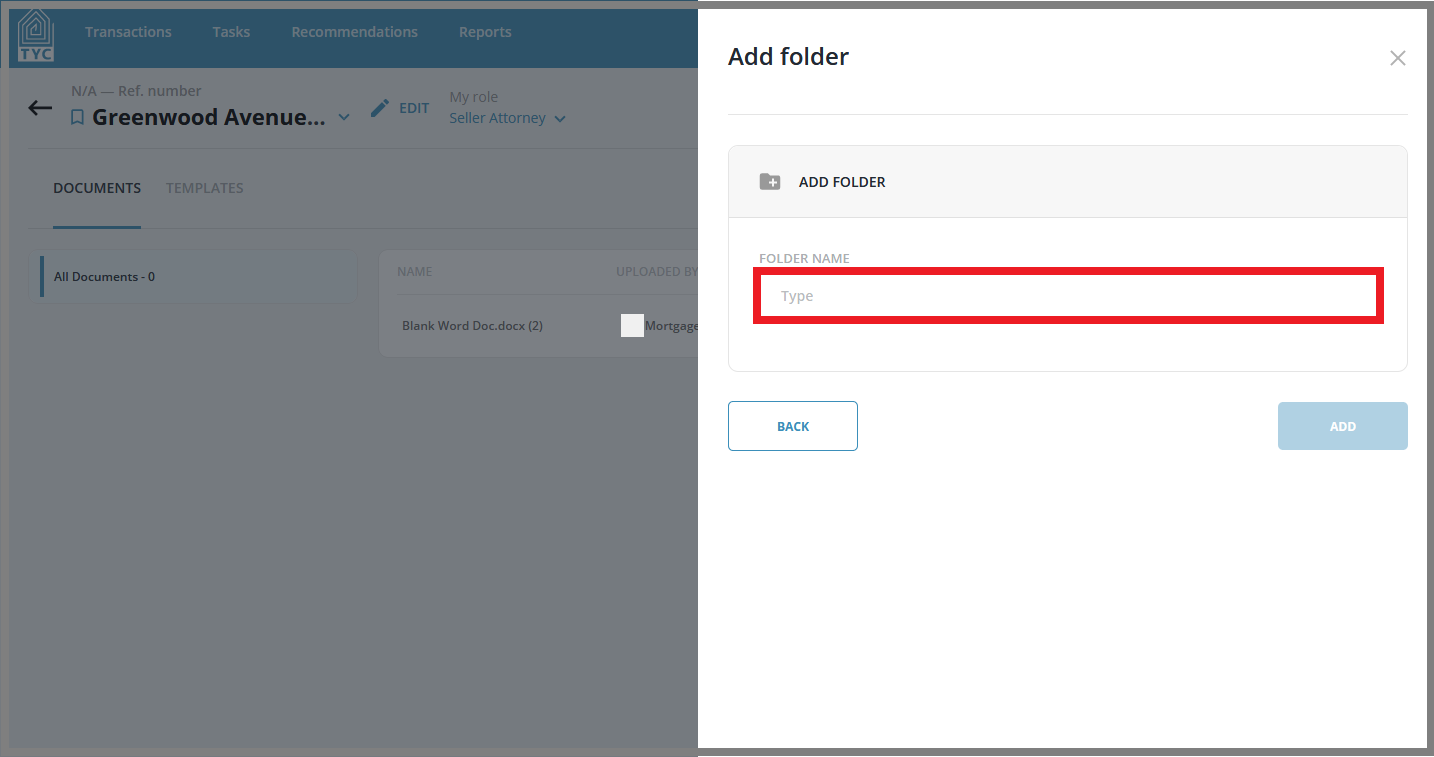
Once the folder is named, click the "Add" button to finish adding your folder: 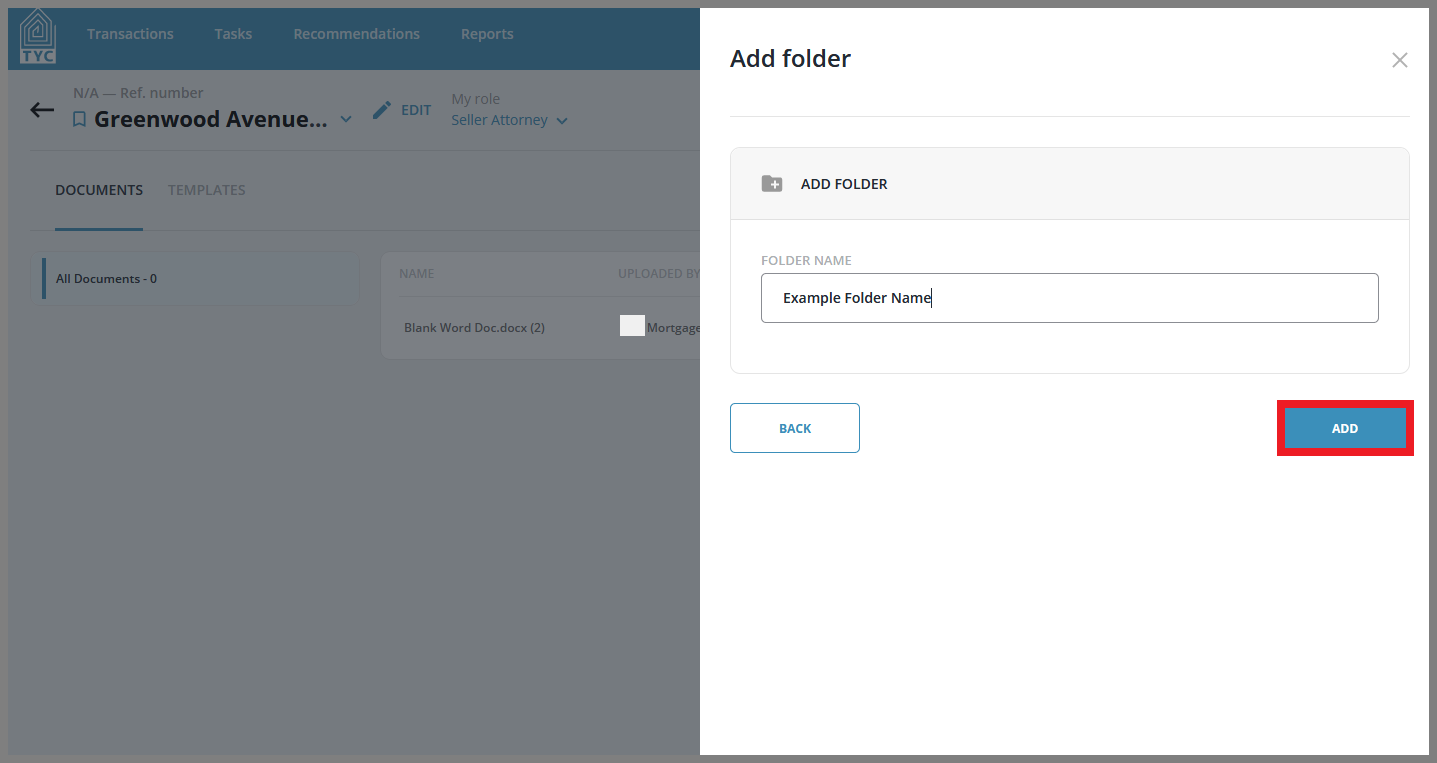
0 Comments